Key Takeaways
- The High Stakes of Replatforming: Over 60% of enterprise replatforming projects experience budget overruns or post-launch organic traffic drops due to inadequate pre-migration planning and missing 1-to-1 URL redirect mappings.
- Legacy Platform Catalysts: Brands migrate off Magento 2 (Adobe Commerce) to eliminate exorbitant hosting and maintenance overhead, off WooCommerce to escape database locking and scalability ceilings, and off Shopify to regain checkout sovereignty and eliminate transaction taxes.
-
The 12-Point Pre-Launch Master Checklist:
- Risk Mitigation Strategy: Decouple data extraction from live cutover by running parallel sandbox staging and conducting synthetic load testing before updating primary DNS records.
1.Complete 1-to-1 301 URL redirect map & SEO canonical parity.
2.Legacy customer password hash migration & bridge authentication.
3.Historical order schema normalization & customer lifetime value (LTV) preservation.
4.SKU variant matrix & configurable product hierarchy mapping.
5.Bidirectional ERP, WMS, and PIM middleware staging.
6.Payment gateway vault tokenization migration.
7.Third-party marketing pixel & analytics server-side audit.
8.Multi-currency, localized tax, and nexus compliance rules.
9.Asynchronous webhook and event queue load testing.
10.Automated end-to-end synthetic checkout regression testing.
11.Staff training & admin merchandising workflow validation.
12.Formal rollback protocol & DNS cutover strategy.
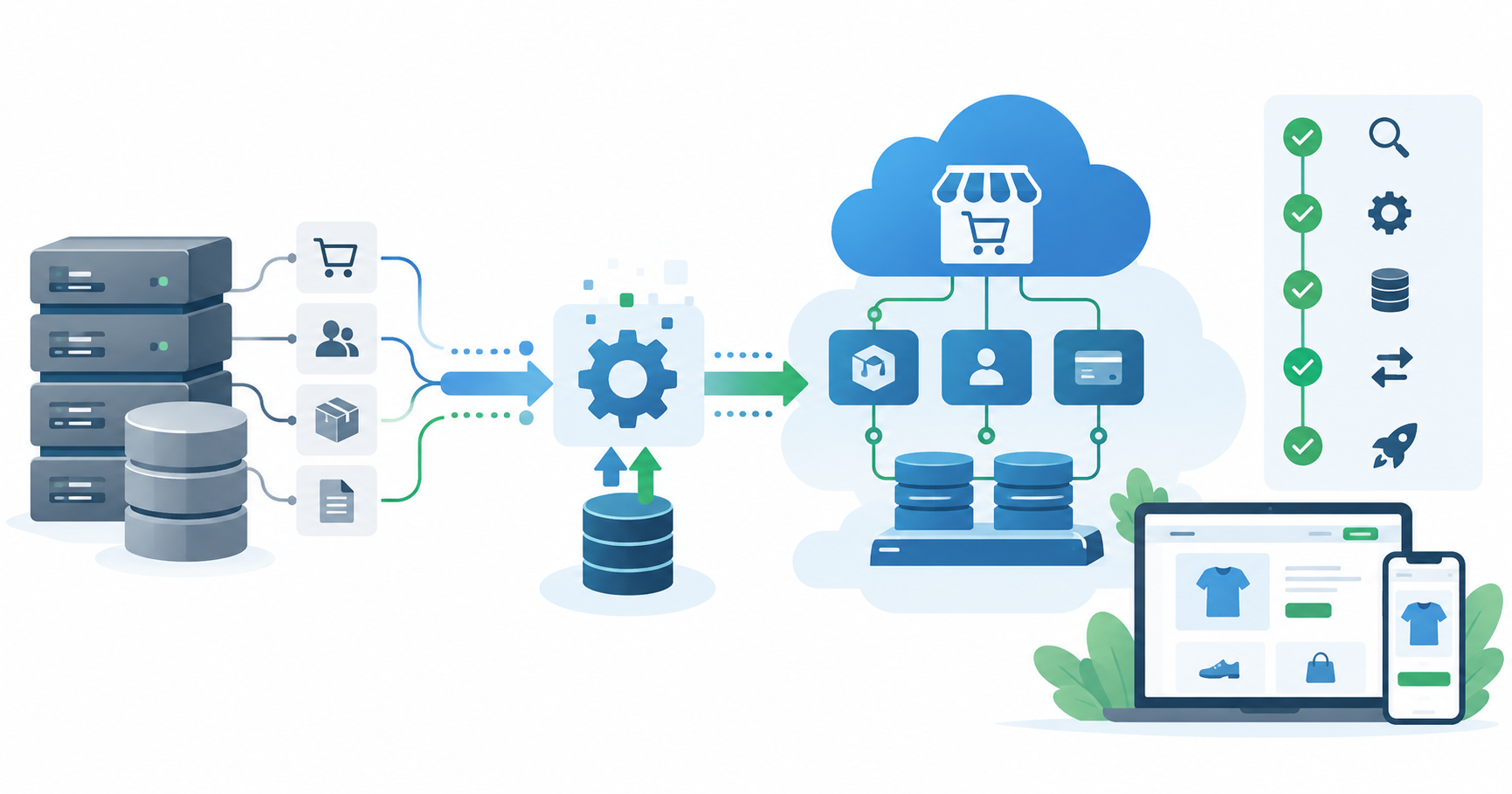
E-commerce replatforming is the digital equivalent of performing an engine swap while cruising at 70 miles per hour on the freeway. When executed correctly, e-commerce replatforming can help businesses move to a modern, decoupled, or custom architecture that improves page speed, lowers total cost of ownership (TCO), and removes growth ceilings.
When executed poorly, an e-commerce replatforming project can trigger ranking drops, broken customer logins, disrupted warehouse fulfillment, and lost revenue.
Using a comprehensive e-commerce replatforming checklist helps your team protect SEO authority, customer data, integrations, and revenue throughout the migration.
At a Glance: The 12-Point E-Commerce Replatforming Master Checklist
Before initiating database exports or cutting over DNS records, use this e-commerce replatforming checklist to review readiness across all critical technical departments.
| NO | Checkpoint Category | Primary Risk Area | Critical Validation Requirement | Responsible Lead | Readiness Gate |
|---|---|---|---|---|---|
| 1. | SEO Equity & 301 Mapping | Organic search rankings & traffic collapse | 100% 1-to-1 301 redirect map for all legacy URLs, collections, and blogs | SEO Lead / Content Architect | Pre-Cutover |
| 2. | Customer Password Migration | Locked-out customers & mass password resets | Implement a lazy-migration authentication hook or SHA-256 hash bridge | Lead Backend Engineer | Data Staging |
| 3. | Historical Order Data | Inaccurate lifetime value (LTV) & broken returns | Normalize legacy XML/JSON order schemas into target SQL/NoSQL tables | Data Migration Specialist | Staging Validation |
| 4. | SKU & Variant Hierarchy | Lost variant attributes, orphaned sizes/colors | Map nested variant options, custom metadata, and bundle relations | Catalog Merchandiser | Schema Freeze |
| 5. | ERP / WMS / PIM Sync | Inventory desynchronization & duplicate fulfilment | Validate bidirectional REST/gRPC ETL pipelines under simulated load | Enterprise Architect | Integration Testing |
| 6. | Payment Gateway Tokens | Lost recurring subscription billing & stored cards | Secure PCI-compliant customer token vault export/import | Security / Compliance Officer | Security Audit |
| 7. | Tag & Analytics Governance | Skewed attribution & unmeasured conversions | Audit tracking pixels; transition to Server-Side GTM | Performance Marketer | Tag Staging |
| 8. | Tax, Duty & Currency Rules | Tax calculation errors & international customs holds | Re-validate Avalara/TaxJar nexus tables and multi-currency exchange rates | Finance / Operations Lead | Compliance Review |
| 9. | Webhook & Event Queues | Queuing lockups & lost flash sale orders | Stress-test message brokers (Kafka/RabbitMQ/SQS) at 3x peak throughput | DevOps Engineer | Load Testing |
| 10. | End-to-End Synthetic QA | Silent checkout API crashes & broken promo codes | Automated Playwright/Cypress test runs across 50+ purchase scenarios | QA Automation Lead | Pre-Launch Gate |
| 11. | Internal Workflow Training | Customer support & warehouse shipping delays | Train operations, customer care, and marketing on new admin dashboards | Operations Director | Operational Sign-off |
| 12. | DNS & Rollback Strategy | Extended downtime & irreversible deployment bugs | Lower TTL to 300s; establish immediate 1-click fallback DNS protocol | Principal Infrastructure Lead | Go-Live Protocol |
Why Brands Replatform: Magento vs. WooCommerce vs. Shopify Friction
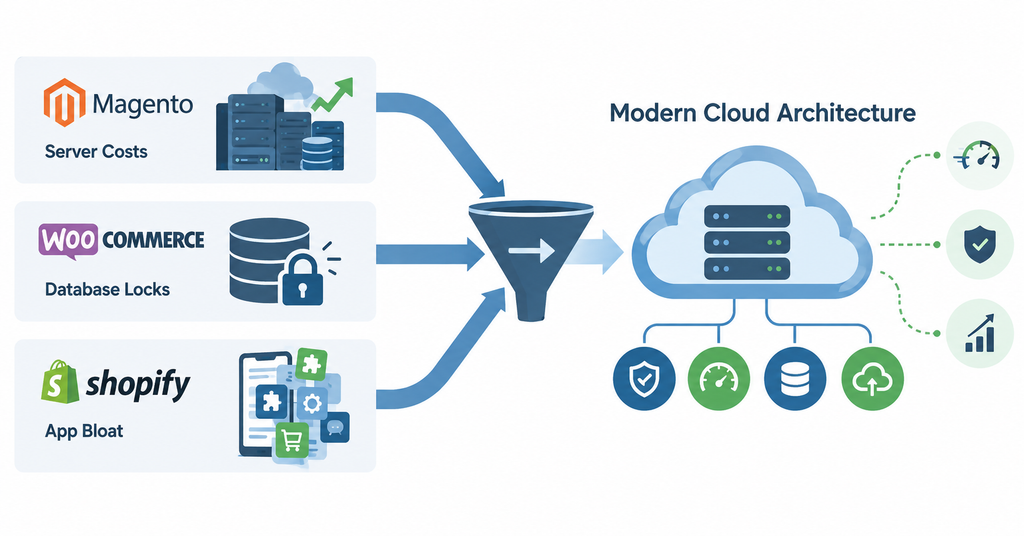
Merchants rarely replatform on a whim. The decision is driven by structural limitations inherent to their legacy host:
- Moving Away from Magento (Adobe Commerce)
The Core Problem: Massive infrastructure maintenance overhead, cumbersome security patching, expensive developer talent, and high hosting costs.
The Target Destination: Decoupled headless commerce platforms or cloud-native custom microservices that eliminate server maintenance. - Moving Away from WooCommerce (WordPress)
The Core Problem: WordPress’s sharedwp_postsandwp_postmetadatabase structure causes severe database deadlocks when order volume exceeds 500 orders per day. Plugins frequently conflict during core updates.
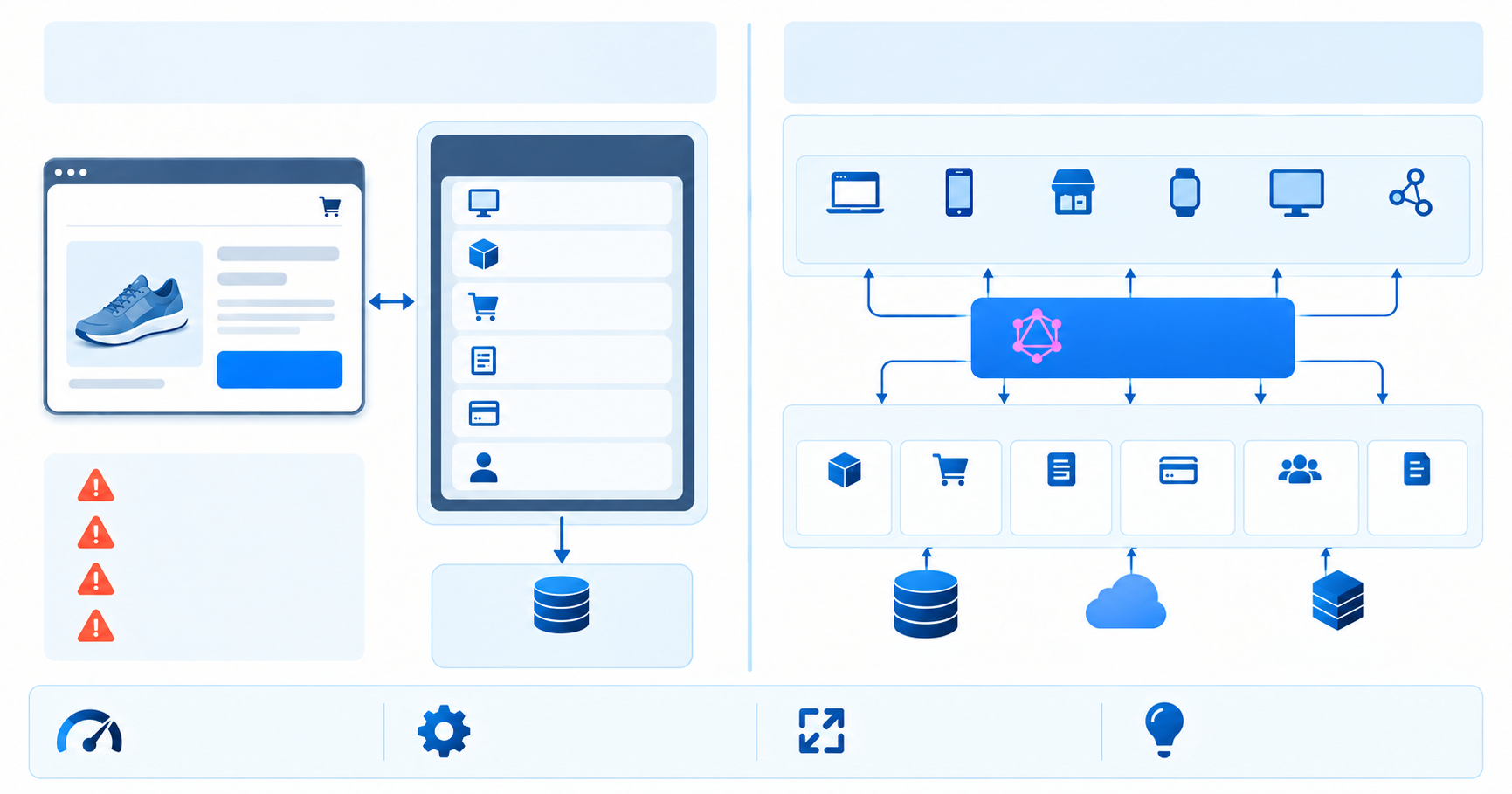
The Target Destination: Dedicated headless e-commerce engines (Medusa, Saleor) or Shopify custom development. - Moving Away from Monolithic Shopify
The Core Problem: Inflexible checkout pipelines, strict API rate limits during ERP syncs, 100-variant ceilings, and mounting app subscription costs. For a detailed financial breakdown, read our analysis on Shopify vs custom e-commerce.
The Target Destination: Headless Shopify (Next.js frontend) or full custom e-commerce architecture.
The 12-Point Pre-Replatforming Audit Checklist
Examine the 12 essential technical requirements every engineering and marketing team must validate before launch:
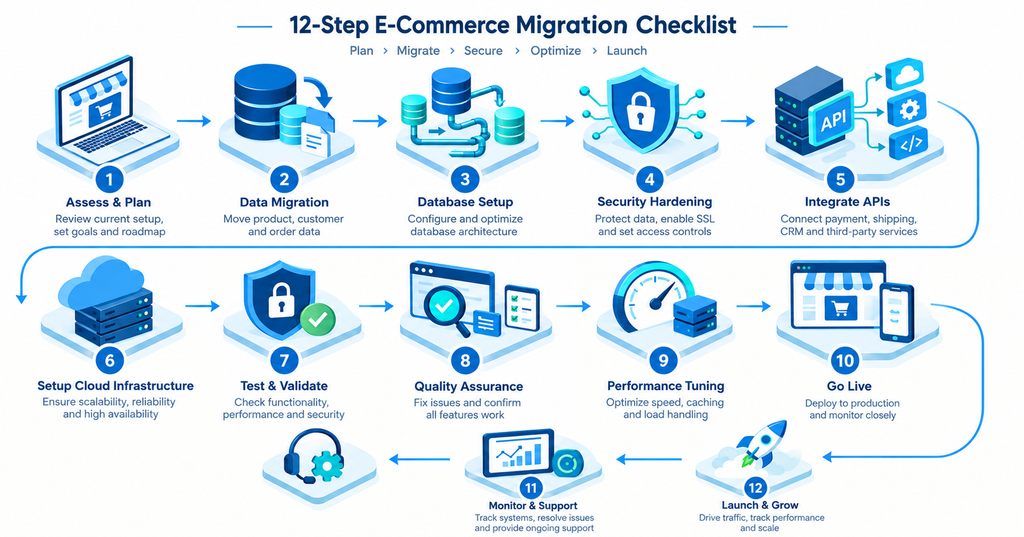
- 100% 1-to-1 301 URL Redirect Mapping & SEO Equity Preservation
The single greatest risk during e-commerce replatforming is organic traffic destruction. Every legacy platform uses distinct URL taxonomies:
Magento:/product-name.htmlor/category/sub-category/product-name
WooCommerce:/product/product-name/
Shopify:/products/product-name
The Pre-Launch Action: Crawl your entire legacy site using Screaming Frog or Sitebulb. Create a comprehensive, 1-to-1 redirect mapping spreadsheet that points every legacy URL to its exact equivalent on the new platform. Test all redirects in a staging environment to ensure zero 404 errors or redirect loops. For broader SEO design best practices, review our guide on e-commerce web design tips.
- Customer Password Hash Migration & Frictionless Authentication Bridges
Customer passwords are encrypted using one-way cryptographic hashes (e.g., Magento uses Argon2ID or Bcrypt with unique salts; Shopify uses proprietary algorithms). You cannot export passwords in plain text.
- Historical Order Schema Normalization & LTV Preservation
Legacy platforms store order records in radically different data schemas. Magento uses multi-table EAV (Entity-Attribute-Value) structures, WooCommerce uses serialized postmeta strings, and Shopify uses nested JSON objects.
The Pre-Launch Action: Transform and normalize historical order data (line items, discounts, historical tax rates, shipping addresses) before importing into the target database. Preserving order history is critical for customer service lookups, warranty claims, and accurate Customer Lifetime Value (LTV) cohort analytics. Consult our comprehensive guide on avoiding data migration budget overruns for data hygiene protocols.
- SKU, Variant Matrix & Configurator Attribute Mapping
Ensure that every complex product attribute—such as dimensional metrics, dynamic bundle configurations, tier-pricing rules, and downloadable digital assets—maps accurately into the target platform’s data schema without data truncation.
- Bidirectional ERP, WMS, and PIM Middleware Staging
Test all third-party enterprise integrations (SAP, Oracle NetSuite, Microsoft Dynamics 365, Katana, ShipStation) in a sandboxed staging environment.
Run bidirectional synchronization tests: generate 500 synthetic orders in the new store and confirm they flow into your WMS within 60 seconds.
Validate that inventory adjustments made in the warehouse reflect on the frontend catalog in real time without API rate-limit throttling.
- Payment Gateway Vault Tokenization Migration
If your business operates recurring subscriptions or allows customers to save credit cards on file, you must migrate their stored payment tokens.
The Pre-Launch Action: Work with your payment processors (Stripe, Adyen, Braintree, Authorize.net) to execute a secure, PCI-compliant vault-to-vault customer token migration. Never attempt to handle raw credit card numbers directly.
- Third-Party Tag Governance & Server-Side Tracking
Replatforming is the ultimate opportunity to clean up tracking script bloat. Audit every marketing pixel in your Google Tag Manager container. Deprecate obsolete affiliate tags and transition your primary tracking (Meta Conversions API, Google Analytics 4, TikTok Events API) to Server-Side Google Tag Manager hosted on isolated cloud infrastructure services to protect your site’s mobile Core Web Vitals.
- Multi-Currency, Localized Tax Nexus, and Duty Calculation Validation
If you sell across multiple states or international borders, verify that your automated tax calculation engines (Avalara, TaxJar, Vertex) are mapped to the correct product tax codes (TICs). Verify that international duty calculations (DDP/DDU), Harmonized System (HS) tariff codes, and real-time currency conversion rates apply accurately at checkout.
- Asynchronous Webhook and Event Queue Concurrency Stress-Testing
Under heavy traffic (such as Black Friday flash sales), third-party webhooks can flood your server. Ensure your backend architecture leverages asynchronous message brokers (AWS SQS, RabbitMQ, or Apache Kafka) with dead-letter queues to prevent API timeouts and order drop-offs.
- Automated End-to-End Synthetic Checkout Testing
Deploy automated testing scripts (Playwright or Cypress) to run end-to-end purchasing simulations across 50+ unique user journeys:
Guest checkout with Apple Pay / Google Pay
Authenticated checkout with tiered B2B wholesale pricing
Multi-currency transactions with discount code applications
Out-of-stock validation during concurrent cart checkouts
Enlist professional QA and quality engineering services to ensure complete test coverage.
- Internal Operational Workflow Training & Dashboard Handover
A new platform changes day-to-day operations for your internal teams. Conduct hands-on training for:
Customer Support: Processing refunds, manual order editing, customer account lookups.
Warehouse Staff: Picking, packing, shipping label generation, return processing.
Marketing Team: Publishing new landing pages, configuring promotional discounts, updating homepage banners.
- DNS Cutover Strategy, TTL Reduction, and Rollback Protocol
Never execute a DNS cutover without an immediate fallback plan:
72 Hours Before Launch: Lower your DNS Time-to-Live (TTL) to 300 seconds (5 minutes) across your DNS provider (Cloudflare, Route 53) so traffic changes propagate instantly.
Maintenance Window: Schedule cutover during your lowest traffic window (typically Tuesday at 2:00 AM).
Rollback Protocol: Document the exact procedure to point DNS back to the legacy server within 5 minutes if catastrophic bugs appear post-launch.
Common Pitfalls to Avoid During E-Commerce Replat forming
Avoid these three critical mistakes that derail migration projects:
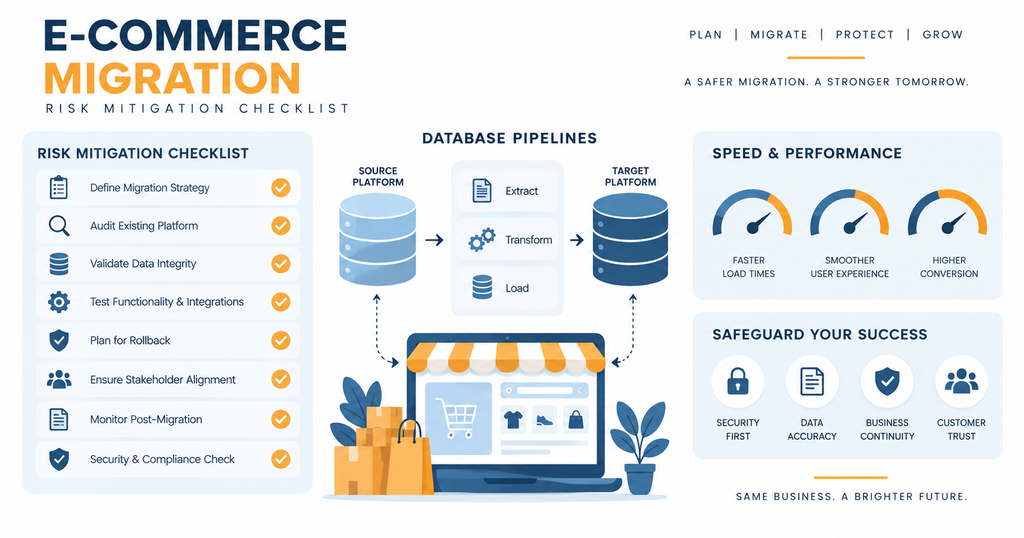
- The “Big Bang” Launch Trap (Migrating Everything at Once)
Attempting to redesign your brand identity, restructure your entire product taxonomy, change your ERP, and switch e-commerce platforms on the exact same day multiplies risk exponentially. The Solution: Stage your replatforming in phases. Migrate your core commerce engine first; roll out radical branding overhauls in subsequent sprints. - Neglecting Post-Launch Search Console Monitoring
Even with perfect redirect mapping, Google’s search bots require several weeks to crawl and re-index new URL structures. Monitor Google Search Console daily for the first 30 days post-launch to catch 404 crawl errors, canonical tag discrepancies, and XML sitemap parsing failures immediately. - Underestimating Data Cleaning Requirements
Migrating dirty legacy data (duplicate customer records, outdated SKUs, broken image paths) into a clean new platform pollutes your new database from day one. Clean, deduplicate, and validate your data before running production imports. For broader architectural insights, review our guide on cloud migration strategies.
Frequently Asked Questions (FAQ)
How long does an enterprise e-commerce replatforming project typically take?
A mid-market to enterprise e-commerce replat forming project typically takes between 12 and 24 weeks depending on CatLog complexity, custom ERP/WMS integrations, data migration volume, and frontend design requirements.
Will replat forming our e-commerce store cause a drop in SEO rankings?
A temporary 5%–10% fluctuation in rankings can occur for 2–4 weeks while Google re-indexes the new site. However, by executing an exhaustive 1-to-1 301 URL redirect map, preserving meta tags, and significantly improving Core Web Vitals, most brands experience significant organic traffic growth post-migration.
How do we migrate customer accounts without forcing everyone to reset their passwords?
You can migrate customer accounts seamlessly by building an authentication bridge hook. When a legacy user logs in on the new platform, the system verifies their credentials against the legacy API endpoint in the background, captures the password, and writes the new hash into the new database without user disruption.
What is the average cost of replatforming an e-commerce website?
E-commerce replatforming investments typically range from $25,000 to $85,000+ for mid-market stores, and $85,000 to $200,000+ for large enterprise catalogs with deep ERP and custom microservices integrations. For detailed estimates, refer to our e-commerce app development cost guide.
Can we keep our existing payment gateway during a replatforming migration?
Yes. Major payment gateways like Stripe, Adyen, Braintree, and Authorize.net can be reconnected to your new platform via modern APIs or SDKs, allowing you to retain your existing merchant underwriting and interchange fee structures.
How do we ensure our ERP and warehouse data stay synchronized during the cutover?
You ensure continuous synchronization by staging bidirectional API connectors in an isolated sandbox environment, executing full data synchronizations, and pausing legacy order creation during a brief 30-minute scheduled maintenance window while final delta records are transferred.
When is the best time of year to replatform an e-commerce business?
The best time to replat form is during your historical lowest-traffic quarter (typically Q1 or early Q2 for retail brands), ensuring your platform is battle-tested and optimized well before Q4 holiday shopping peaks.
What should we do if critical errors occur immediately after DNS cutover?
You should execute your documented Rollback Protocol by updating your DNS records back to the legacy server (which propagates in under 5 minutes if you lowered your TTL to 300 seconds), allowing your team to resolve issues without prolonged revenue loss.
Execute a Seamless Replat forming Migration with Tech Vedhas
E-commerce replatforming is a high-stakes technical milestone that requires careful planning across SEO, data migration, integrations, payments, analytics, testing, and infrastructure. Partnering with experienced full-stack engineers and data architects ensures your migration is completed on schedule, within budget, and with zero data loss.
Whether your organization is migrating away from a bloated Magento 2 setup, escaping WooCommerce database ceilings, or decoupling a Shopify store into a high-performance headless architecture, Tech Vedhas provides the end-to-end data pipelines, cloud infrastructure, and quality engineering required for a flawless launch.
Ready to plan your replat forming roadmap?
Explore our custom website development services, calculate your investment with our project estimation tool, or book a free migration consultation with our principal software architects today.