Is Your Next Migration Already a Crisis in the Making?
How to Avoid Data Migration Budget Overruns starts with one simple truth: most projects fail when teams treat migration as a technical task instead of a business transformation.
Picture this: your company is three months from a major product launch. Then a database transition that was supposed to take one weekend turns into a ten-day emergency. Customer records are corrupted. Transaction histories are broken. The development team that should be shipping new features is now in emergency rollback mode — burning budget, burning sprint capacity, and burning the trust of the customers you were about to impress.
This is not a hypothetical. It is the most common and most expensive way a data migration goes wrong.
For mid-market and enterprise organizations, an aging database is rarely just a technical liability — it is a slow, compounding business cost. Product releases slow down. Infrastructure bills creep upward. And with the 2026 HIPAA Security Rule revisions and DORA standards now carrying active enforcement timelines, database modernization is no longer something you can defer — it is a compliance requirement with penalties attached.
The painful irony: organizations that delay modernization to avoid disruption are often the ones who experience the most severe disruption when the transition finally happens — because they attempt it without a structured approach.
And the financial consequences are specific: budget overruns averaging 30%, timeline delays averaging 41%, and more than half of all migrations actively harming the business they were designed to improve.
Understanding what separates a safe, predictable migration from a costly crisis starts with looking honestly at the numbers.
What You Need to Know
83% of enterprise data migration projects either fail outright or exceed their planned budgets and schedules. This blog explains exactly why—and what business leaders can do to avoid it. The most common causes include poor source data quality, lift-and-shift transfers without refactoring, and undocumented system dependencies that break silently after go-live. Budget overruns average 30% and timeline delays average 41%.
Avoiding these outcomes starts with one discipline: treating migration as a business transformation rather than a technical file transfer. Allocate 20%–25% of the project timeline to structured discovery before moving any data. Every risk covered in this blog is knowable in advance—and none of it has to become a crisis.
The Numbers Don’t Lie: Why Most Migrations Are Set Up to Fail
Let’s start with the statistic that defines this conversation.
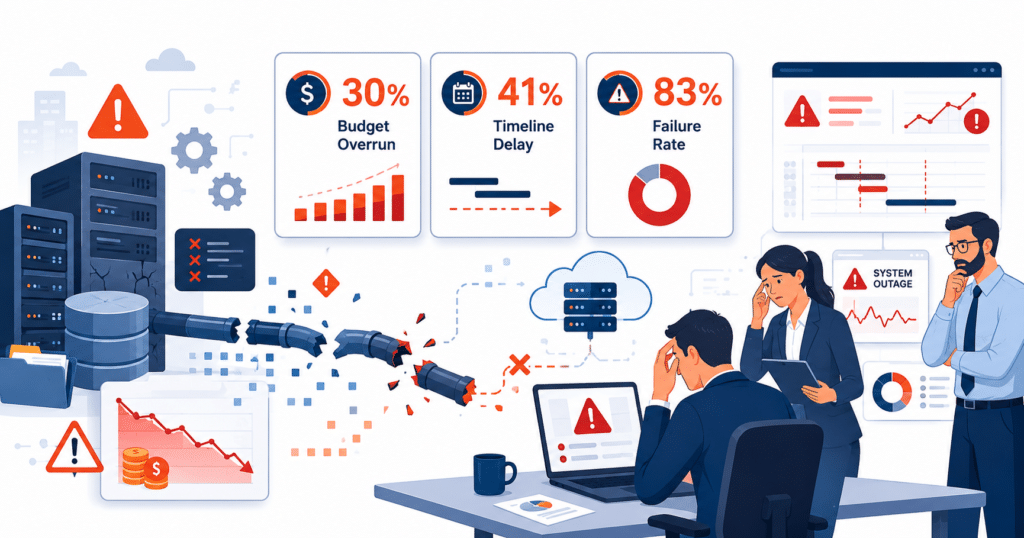
According to Gartner research, 83% of data migration projects either fail outright or exceed their planned budgets and schedules. Read that again — eight out of ten organizations that attempt a database migration will either fail completely or blow past their budget and timeline.
The Bloor Group’s research reinforces this: more than 80% of data migration projects run over time and/or over budget, with cost overruns averaging 30% and schedule delays averaging 41%. For a mid-market business running on tight margins and tighter development cycles, a 30% cost overrun on a $500,000 modernization initiative is an unplanned $150,000 expense. A 41% timeline delay on a six-month project pushes your go-live almost eleven weeks into the future — past product launch windows, past compliance deadlines, past the patience of your leadership team.
More critically, research indicates that over 50% of these projects actively harm the business through extended system downtime, corrupted customer records, or incomplete data transfers. The damage doesn’t end when the migration ends — broken data quietly corrupts the reports, analytics, and customer records your teams rely on for months afterward.
| Migration Metric | Standard Industry Performance | Target Modernization Benchmark |
|---|---|---|
| Project Budget Variance | 30% Average Cost Overrun | Within 10%–15% of Estimate |
| Project Timeline Variance | 41% Average Schedule Delay | Completed Within 10% of Schedule |
| Unexpected System Downtime | Highly Common / Unplanned | Near-Zero Operational Disruption |
| Initial Source Data Profiling | Under 20% of Project Timeline | 20%–25% Gated Discovery Phase |
| Post-Migration System Success | Under 70% Overall | Active Adoption and Data Integrity |
What this table tells you: the gap between where most organizations land and where a well-executed migration lands is not marginal — it is the difference between a project that pays off and one that drains capital and credibility for quarters afterward.
The Real Reason Behind the Numbers
These failure rates are not caused by a lack of budget, talent, or effort. The root cause is more fundamental, and more avoidable.
Most organizations approach a database migration as a technical task — a data transfer from point A to point B. What it actually is — is a business transformation that happens to involve data movement. And the moment a leadership team treats it as the former, every downstream decision gets made with the wrong frame.
Skipping a proper discovery phase. Underestimating legacy dependencies. Assuming source data is clean. Moving without refactoring. These are not random mistakes — they are the predictable consequences of treating migration as an IT checkbox rather than a business-critical initiative.
The organizations in the successful 17% do one thing consistently and early: they invest in understanding what they are actually working with before writing a single migration script or committing to a timeline. Everything else follows from that discipline.
Where Migrations Go Wrong: The Mistakes That Cost Organizations the Most
Every migration that runs over budget or collapses at cutover follows a recognizable pattern. The technical problems are rarely the root cause — they are the symptoms. The real damage starts earlier, in planning assumptions that go unchallenged until it is too late to course-correct.
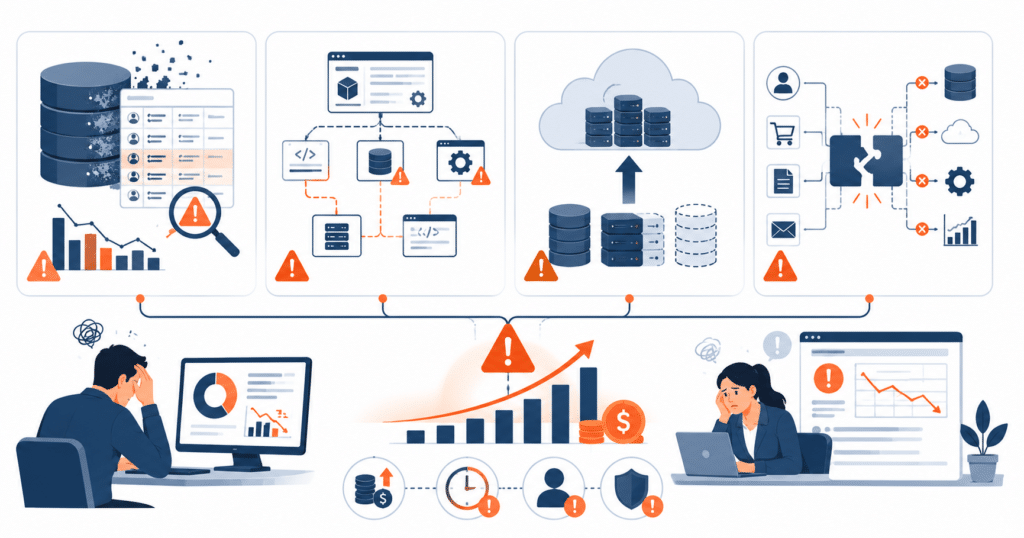
Mistake 1: Assuming Your Data Is Ready to Move
What it costs you: Unplanned weeks of emergency data cleansing, delayed go-live dates, and budget consumed on remediation instead of delivery.
Enterprise databases accumulate years of operational debris — inconsistent formats, duplicate accounts, orphaned records, and fields used in ways they were never designed for. None of this shows up on a project plan. It shows up at 2 AM during the cutover window when the import fails.
Consider a scenario common in healthcare migrations — a single field storing three completely different data types simultaneously, discovered only at cutover. That kind of discovery routinely adds six or more weeks to projects that looked perfectly on track days before.
Skipping a pre-migration data audit doesn’t save time. It defers the problem to the worst possible moment to solve it.
Mistake 2: Moving the Old System Into the Cloud Without Changing It
What it costs you: Higher cloud bills than the system you replaced and an infrastructure that costs more to run than the legacy environment it was supposed to improve.
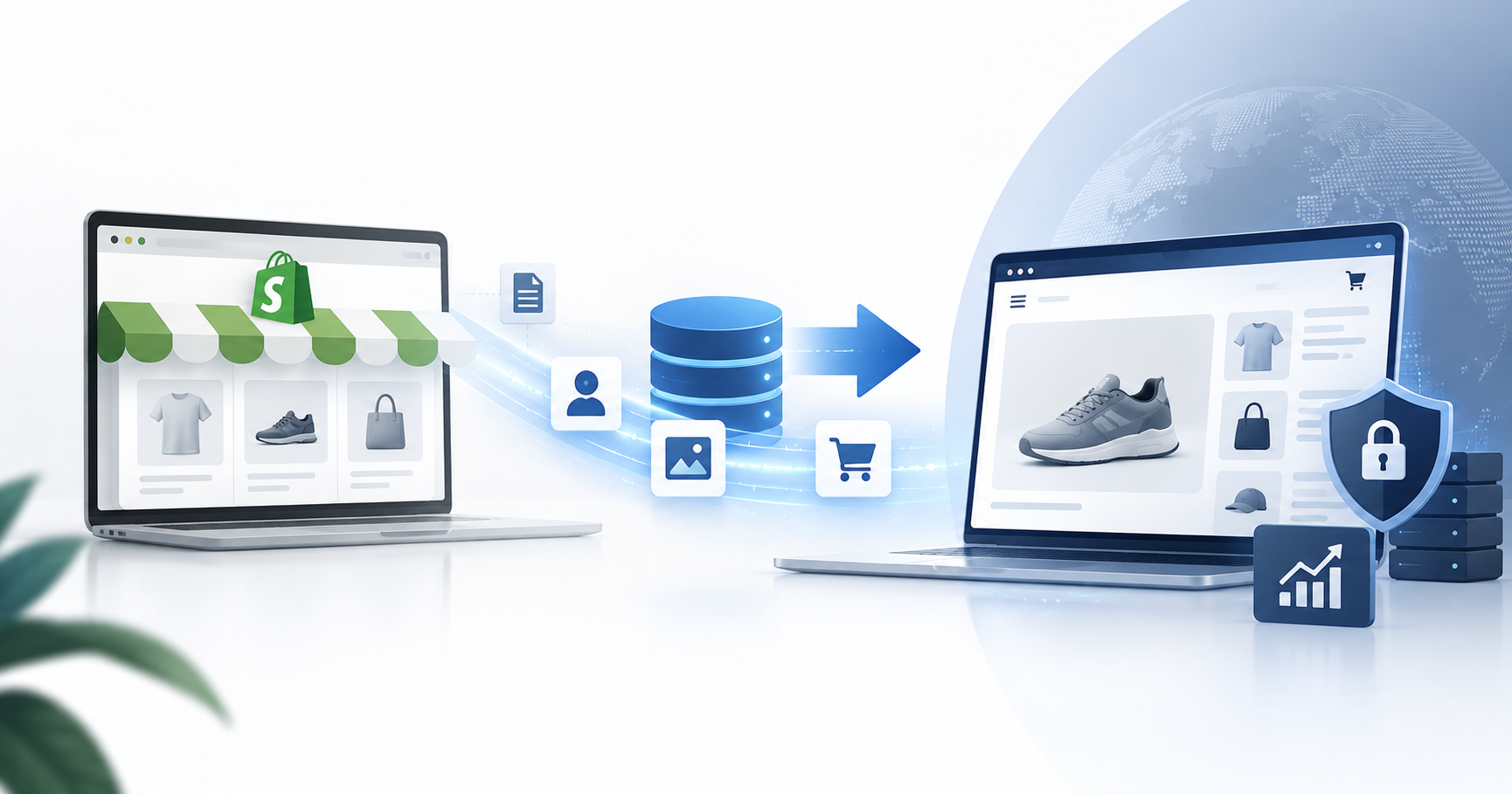
A direct lift-and-shift feels safe because it is familiar. It rarely is. Databases optimized for on-premises servers behave very differently on cloud virtual machines — consuming far more compute resources than planned and turning a cost-optimization initiative into a source of ongoing infrastructure waste. Organizations that lift and shift without refactoring frequently end up paying more in cloud fees than they paid to run the legacy system. The exact opposite outcome the migration was designed to achieve.
Mistake 3: Migrating the Database Without Mapping What Depends on It
What it costs you: Broken integrations, unexpected outages in systems that were never supposed to be affected, and weeks of emergency engineering work post-launch.
No enterprise database operates in isolation. It feeds dashboards, CRM platforms, internal APIs, and third-party tools — most of which are undocumented and invisible until they break. The migration itself may complete successfully. But within hours of go-live, applications start throwing errors and customer-facing systems behave unpredictably.
The engineering cost of repairing undocumented dependencies post-migration is almost always multiples of what a proper dependency mapping exercise would have cost before the project began.
How to Avoid Data Migration Budget Overruns with Structured Assessment
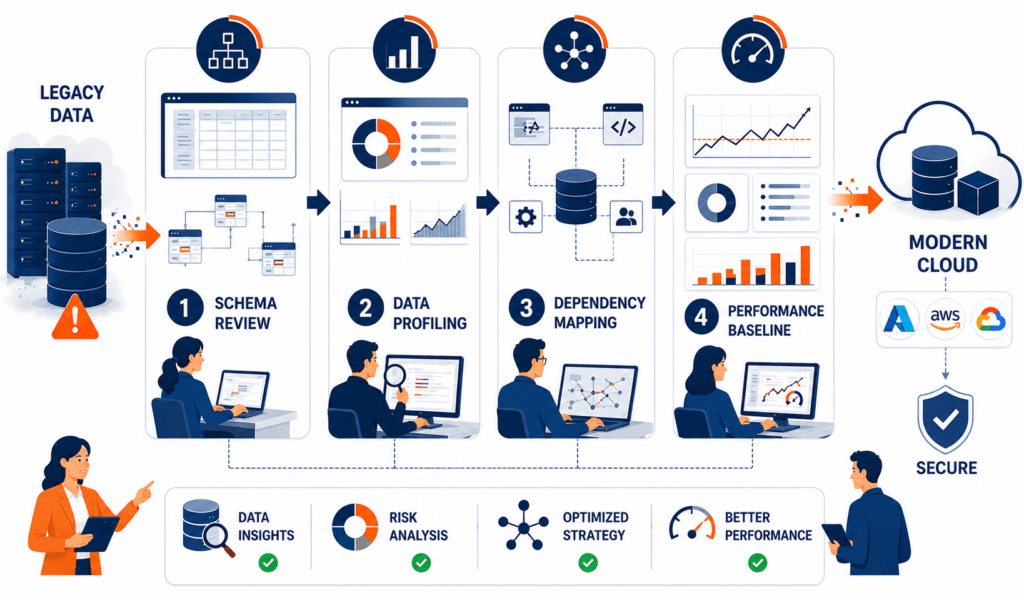
Here is the truth that separates successful modernization projects from costly ones: the organizations that invest the most time before touching any data finish fastest, closest to budget, and with the fewest post-launch surprises.
Most migration budgets are built on assumptions — about how clean the source data is, how many systems depend on the database, how long the cutover will take. Every unverified assumption is a potential cost overrun waiting to surface at the worst possible moment.
A structured, assessment-first approach replaces assumptions with documented facts before a single migration script is written, any automation tooling is purchased, or the project timeline is locked in. Allocating 20% to 25% of the total project timeline to a structured discovery phase is not a delay — it is the single highest-return investment in the entire project lifecycle.
What a Structured Assessment Must Deliver
- A Complete Schema and Compatibility Review: Maps legacy database structures, stored procedures, and custom configurations that need refactoring. Without this, incompatibilities surface mid-migration as unbudgeted emergency work.
- Deep Source Data Profiling: Evaluates the actual quality and consistency of data in your legacy system after years of real-world operation. Skipping this forces rushed data cleansing during the cutover window — the most expensive environment in which to do it.
- An End-to-End Dependency Map: Traces every connection between your database and the external systems that rely on it. Undiscovered dependencies break silently after go-live, triggering a costly second wave of remediation work.
- A Documented Performance Baseline: Records current response times and resource consumption before migration begins. Without it, post-migration performance issues have no benchmark — making regressions impossible to prove and vendors impossible to hold accountable.
If your current migration plan allocates less than 20% of its timeline to discovery and readiness, your budget is built on assumptions. And in data migration, assumptions have a known and measurable cost.
Data Migration Timeline Planning and Strategic Phasing
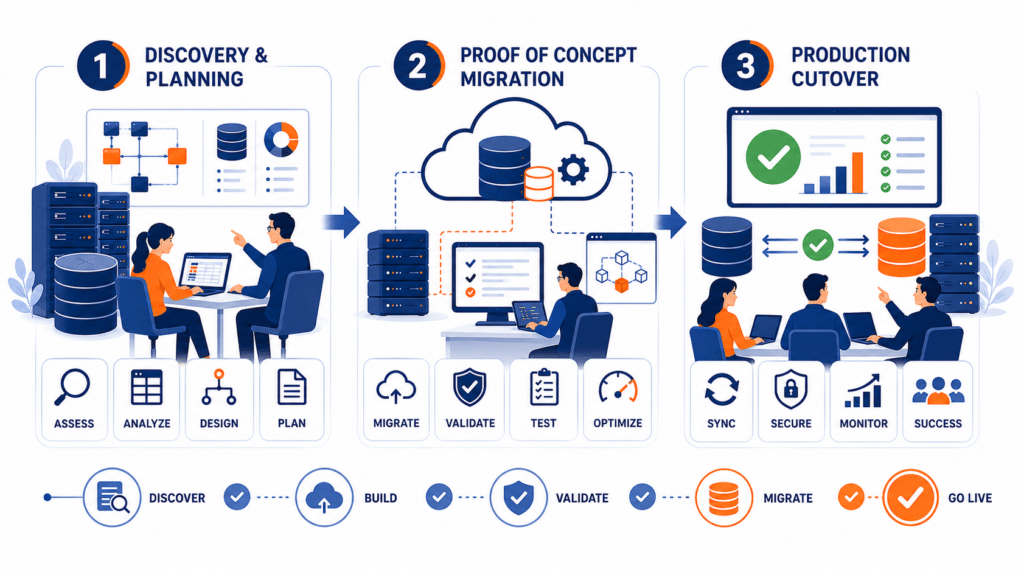
Overly optimistic project schedules are one of the leading causes of migration overruns — and one of the most preventable. A realistic timeline is not built around how long the team hopes the migration will take. It is built around what the data, the dependencies, and the target environment actually demand.
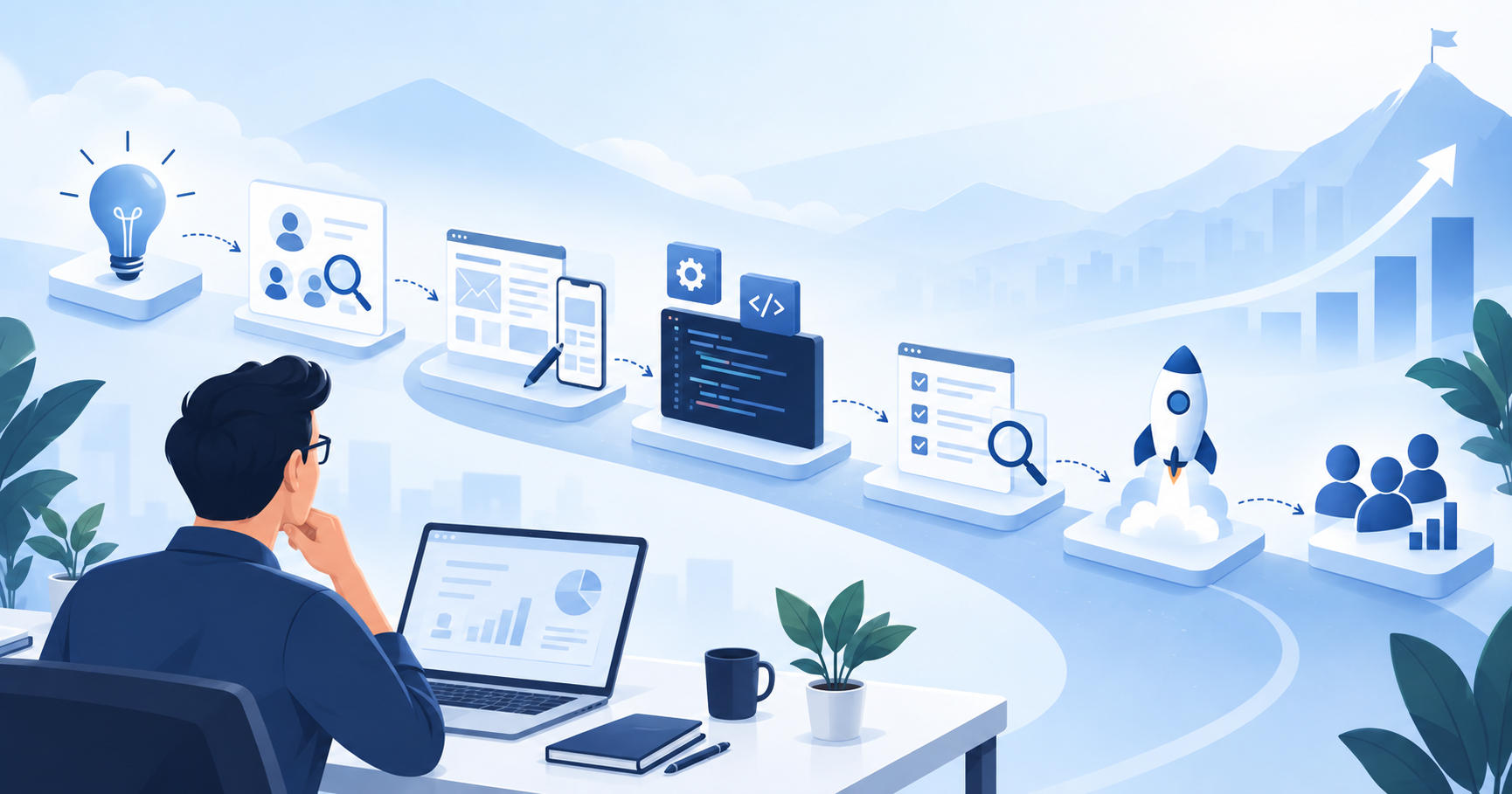
The most reliable approach structures the project into three clear phases, each with defined go/no-go criteria before the next begins:
Phase 1 — Discovery and Readiness (20%–25% of total timeline)
Assessment, data profiling, dependency mapping, and performance baselining. Nothing moves until this phase closes cleanly.
Phase 2 — Proof of Concept Migration (30%–35% of total timeline)
Migrate non-critical datasets first. This is a controlled environment to validate tools, surface schema conflicts, and refine the process before business-critical data is touched. Issues found here cost a fraction of what they cost at cutover.
Phase 3 — Phased Cutover and Validation (remaining timeline)
Move critical systems incrementally, not all at once. Build a minimum two-week validation buffer before any live cutover — non-negotiable regardless of how clean the earlier phases looked.
The guiding principle is simple: every problem resolved during Phase 1 or Phase 2 costs significantly less — in time, money, and organizational stress — than the same problem discovered during a live deployment. Treat the final cutover as a confirmation event, not a discovery event.
Data Migration Budget Planning and Cost Control Measures
Most migration budgets fail before a single line of code is written — not because the numbers are wrong, but because they are incomplete. Teams price the migration itself and forget what surrounds it: legacy licensing during the transition period, specialized tooling, extended testing cycles, and post-migration support. By the time those costs surface, the contingency buffer is already gone.
A predictable budget accounts for the full cost landscape from day one. Here is how to build one:
Establish a Contingency Buffer — and Size It Correctly
A blanket percentage does not work here. Use this as your framework: allocate 10%–15% for well-documented systems with clean data and limited integrations; allocate 20%–25% for legacy environments with undocumented dependencies, poor data quality, or compliance requirements. Applying a 10% buffer to a complex legacy system is not conservative — it is underinsured.
Evaluate Open-Source Database Alternatives
Transitioning from proprietary licensed engines to platforms like PostgreSQL or MySQL can reduce software licensing costs by tens of thousands of dollars annually — one of the few modernization decisions that lowers both upfront and ongoing costs simultaneously.
Run a Cost-Benefit Analysis Before Rearchitecting Anything
Not every module needs rebuilding from scratch. Some components migrate cleanly with standard refactoring tools at a fraction of the cost of full rearchitecting. Skipping this analysis is one of the most common triggers of scope creep and budget inflation.
Clean the Data Before Moving It
Pre-migration data cleansing reduces transfer volume, cuts cloud bandwidth costs, and eliminates the far greater expense of discovering data quality issues during a live cutover — where every hour of remediation carries an exponentially higher price tag.
Enterprise Data Migration Risk Management and Compliance
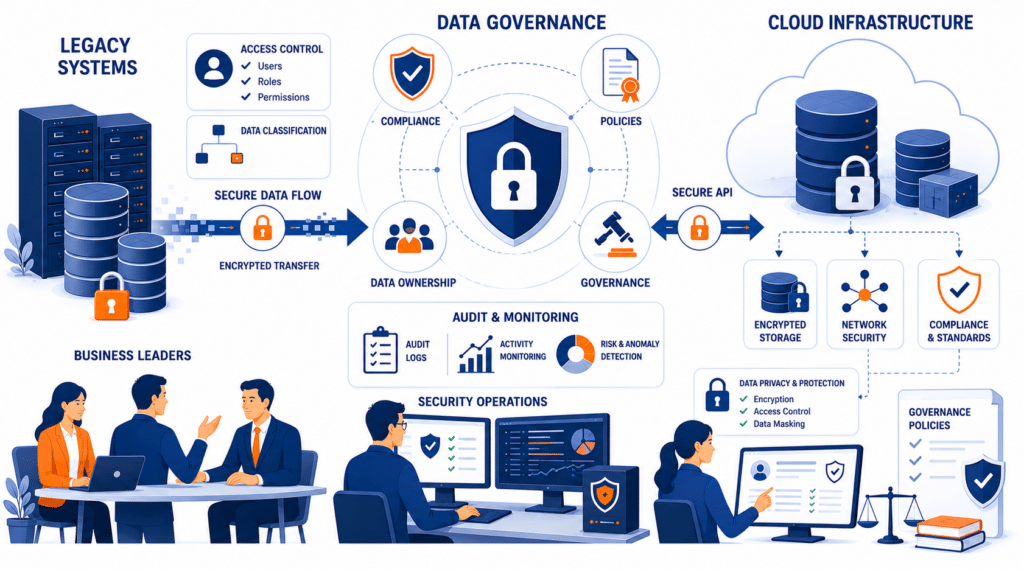
A compliance failure during a data migration is not just a technical problem — it is a business emergency with a measurable price tag.
Under GDPR Article 83(5), certain serious GDPR infringements can result in administrative fines of up to €20 million, or 4% of an organization’s total worldwide annual turnover from the preceding financial year, whichever is higher. Under HIPAA, the maximum annual penalty for willful neglect violations that are not corrected in time currently stands at $2,134,831 per violation category. A data breach occurring during a migration — when sensitive data is at its most exposed — adds breach notification costs, legal liability, and reputational damage on top of those figures.
With the 2026 HIPAA Security Rule revisions and DORA standards now carrying active enforcement timelines, compliance cannot be retrofitted into a migration after the architecture decisions have been made. It must be built in from day one.
In practice, this means three non-negotiables throughout the migration process:
- Transport encryption and access controls: All data in motion must be protected with modern encryption, with strict role-based access controls and detailed access logging maintained across every migration phase — not just at cutover.
- Documented data integrity: Organizations must be able to demonstrate with evidence that data integrity was maintained across all migration phases and that sensitive information remains secure in the modernized environment. Regulators do not accept verbal assurances.
- Compliance embedded in the project team: Assigning a compliance officer to the migration team as an active participant from planning onward — not as an end-stage reviewer — ensures the final architecture meets SOC2, GDPR, HIPAA, and relevant industry-specific frameworks without last-minute redesigns.
Security and compliance built into the migration from the start cost a fraction of what remediation, fines, and breach response cost after the fact.
Operational Governance: Establishing Data Migration Governance and Ownership
When a migration runs over budget without a clear technical reason, the root cause is usually organizational — nobody owned the decision, nobody escalated the problem, and by the time leadership got involved, the cost had already compounded.
Governance is not a process formality. It is the structure that prevents a migration from becoming a cross-departmental blame exercise when things go wrong.
This starts at the top. Someone at the executive level needs to own this initiative — not delegate it entirely to IT and review it at monthly check-ins. An executive sponsor with real authority to resolve organizational roadblocks is the single most effective safeguard against scope creep and stalled decisions. Supporting that sponsor, a small cross-functional group of technical leaders and business unit owners ensures the migration roadmap stays aligned with actual business priorities rather than drifting into pure technical optimization.
Equally important is data ownership at the dataset level. Every core dataset needs a named business unit owner — someone who can define validation rules, approve schema mapping decisions, and confirm that the migrated data actually supports their team’s daily operations. Without this, data gets moved without a clear business purpose, and the problems only surface after go-live when the people who depend on that data realize it does not work the way they expected.
Clear ownership at both levels — executive and dataset — keeps scope tight, decisions fast, and accountability unambiguous throughout the project.
With the right people accountable and the right processes in place, the final architectural decisions that determine downtime and hosting costs become significantly easier to execute correctly.
Modern Architectural Optimization: How to Reduce Data Migration Downtime
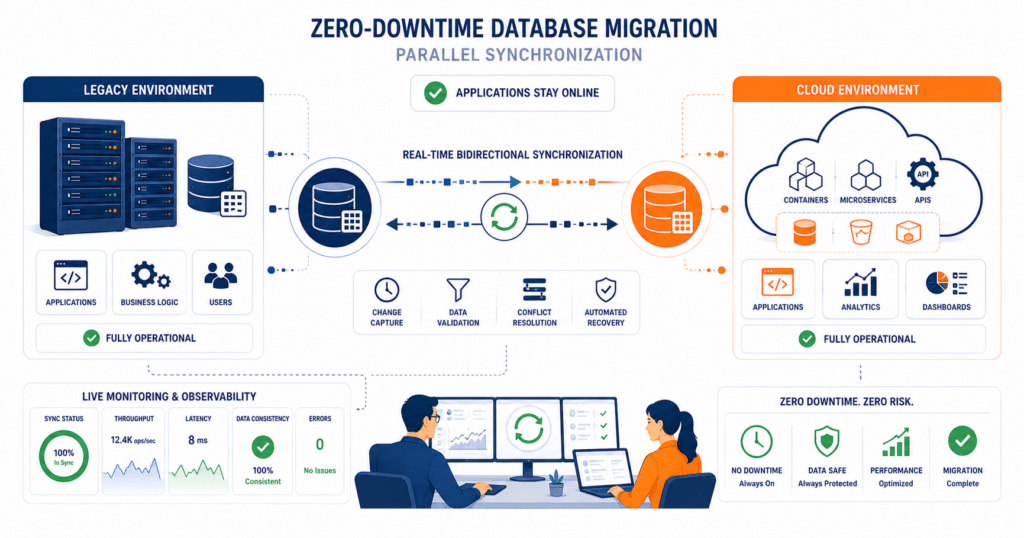
Extended system outages during a database transition are not inevitable — they are an architectural choice. Organizations that plan their cutover strategy correctly can reduce downtime to near zero, even during complex enterprise migrations.
Bidirectional Parallel Synchronization: The Smarter Cutover Strategy
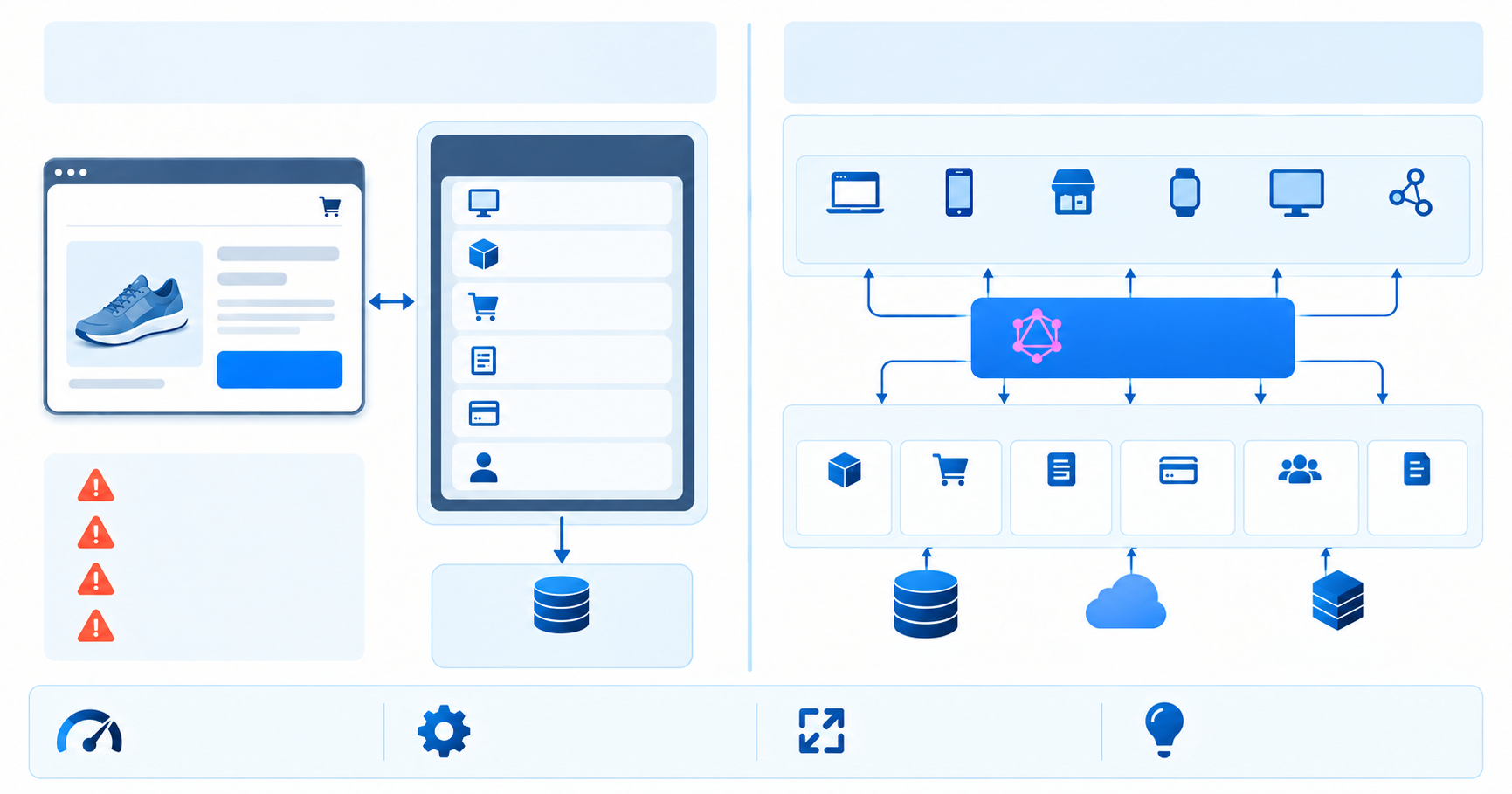
Rather than treating the final cutover as a single high-stakes shutdown event, leading migration teams run both the legacy and modernized databases simultaneously during the transition period. Bidirectional synchronization pipelines keep both environments continuously updated — any transaction written to the legacy system is automatically replicated in the modernized platform in real time.
The practical result: the final cutover becomes a simple DNS routing update rather than a prolonged system shutdown. And if issues surface post-launch, traffic can be instantly rerouted back to the legacy system without data loss. The business never experiences a hard stop — only a smooth handoff.
High-Performance Stack Modernization: The Cost Reduction Layer
Beyond downtime, the architectural decisions made during modernization directly determine your post-migration cloud hosting costs.
Transitioning legacy services to a .NET 10 environment using Native AOT compilation removes runtime overhead by compiling applications directly to native machine code at build time rather than at runtime. In practical terms this means microservices that previously required heavy, high-tier virtual machines can run on cost-efficient Linux containers — with memory consumption dropping from hundreds of megabytes to under 40MB per service.
The table below shows what that shift looks like across key infrastructure metrics:
| Architecture Metric | Legacy System | Modernized .NET 10 |
|---|---|---|
| Data Format | Bulky XML/SOAP | Binary Protobuf |
| Communication Protocol | HTTP/1.1 | HTTP/2 Multiplexed |
| Runtime Compilation | JIT Overhead | Native AOT |
| Cold-Start Times | Several Seconds | ~50ms |
| Microservice Memory | Hundreds of MB | Under 40MB |
| Server Requirements | High-Tier VMs | Cost-Efficient AKS Containers |
For technical teams implementing Native AOT, the configuration involves enabling PublishAot and PublishTrimmed in the project file, setting OptimizationPreference to Speed, and enforcing TLS 1.3 for compliance alignment. Developers implementing Native AOT can refer to the official Microsoft documentation for deployment requirements, supported scenarios, and configuration guidance. The architectural principles discussed here remain focused on reducing infrastructure costs during enterprise modernization.
The Vedhas Approach to Database Modernization
Every methodology discussed in this blog — assessment-first discovery, structured data cleansing, bidirectional synchronization, compliance-embedded architecture — requires a partner who has executed it before, in high-stakes environments where failure is not an acceptable outcome.
Vedhas Technology Solutions works with mid-market and enterprise organizations across healthcare, finance, and e-commerce — sectors where data integrity, regulatory compliance, and zero-downtime transitions are non-negotiable. Rather than performing simple lift-and-shift transfers, Vedhas integrates database modernization with application refactoring, ensuring that performance standards, cost optimization, and security compliance are built directly into the modernized system from day one — not retrofitted after go-live.
The Vedhas methodology is built around the same principles this blog has outlined: automated discovery tooling to surface legacy dependencies before they become migration surprises, structured pre-migration data cleansing to eliminate cutover failures, and parallel synchronization pipelines to protect business continuity during transition.
With delivery teams in Bothell, Washington and Hyderabad, India, Vedhas is structured to support U.S.-based enterprise timelines without compromising on engineering depth.
Take the First Step Toward a Safe, Predictable Migration
The risks covered in this blog are not inevitable — they are preventable. But only if the planning starts before the pressure does.
If your organization is evaluating a database modernization initiative, the Vedhas team is ready to assess your current landscape, identify hidden risks, and build a structured path forward — before a single line of migration code is written.
No generic sales pitch. Just a focused technical conversation about your database environment, your compliance requirements, and what a safe, structured modernization looks like for your organization.
The Migration You Plan Today Determines the Crisis You Avoid Tomorrow
Database modernization is no longer a project you can defer. With HIPAA 2026 revisions and DORA enforcement timelines now active, legacy systems that were once a performance liability are increasingly becoming a compliance liability too. The organizations that modernize successfully are not the ones with the largest budgets — they are the ones that start with honest assessment, structured planning, and the right partner. Every risk in this blog is knowable in advance. None of it has to be a crisis.
Frequently Asked Questions
What is the difference between data migration and data modernization?
Data migration refers to moving data from one system to another. Data modernization goes further — it involves refactoring the application architecture, optimizing database structures, and rebuilding integrations for modern cloud environments. Migration moves your data. Modernization transforms how your systems use it.
How do I know if my organization is ready for a data migration?
Readiness comes down to three things: how well your source data is documented, how clearly your system dependencies are mapped, and whether your team has a structured discovery process in place before touching any data. If any of these are unclear, you are not yet ready to migrate — you are ready to assess.
What is the difference between a big bang migration and a phased migration?
A big bang migration moves all data in a single cutover event — high risk, high stress, and no fallback if something goes wrong. A phased migration moves data incrementally, starting with non-critical datasets and validating at each stage before proceeding. For enterprise environments, phased migration is almost always the safer and more cost-predictable approach.
Can data migration be done without any downtime?
Near-zero downtime is achievable with the right architecture. Bidirectional synchronization pipelines keep both legacy and modernized environments running simultaneously during the transition — meaning the final cutover is a routing update rather than a system shutdown. Downtime during migration is an architectural choice, not an inevitability.
How does data quality affect migration cost?
Poor data quality is one of the leading drivers of migration cost overruns. Duplicate records, inconsistent formatting, and corrupted fields discovered during cutover require emergency remediation under live-system pressure — the most expensive environment in which to fix anything. Pre-migration data cleansing consistently reduces both total migration cost and post-launch incidents.
Is cloud migration the same as data migration?
Not exactly. Cloud migration refers specifically to moving infrastructure, applications, and data to a cloud environment. Data migration is broader — it covers any movement of data between systems, formats, or environments, including on-premises to on-premises transitions. Cloud migration almost always involves data migration, but data migration does not always involve moving to the cloud.