Key Takeaways
Executing a successful web application redesign strategy does not require tearing down your underlying SQL database or rewriting core business logic. By decoupling your user interface using modern API gateways and Backend-for-Frontend (BFF) patterns, enterprises can deploy lightning-fast React or Angular frontends, preserve SEO rankings through strict URL mapping, and measure instant user satisfaction (CSAT) improvements—all while maintaining 100% backend stability and zero operational downtime.
Overview: The 5-Phase Legacy Web Portal Redesign Roadmap
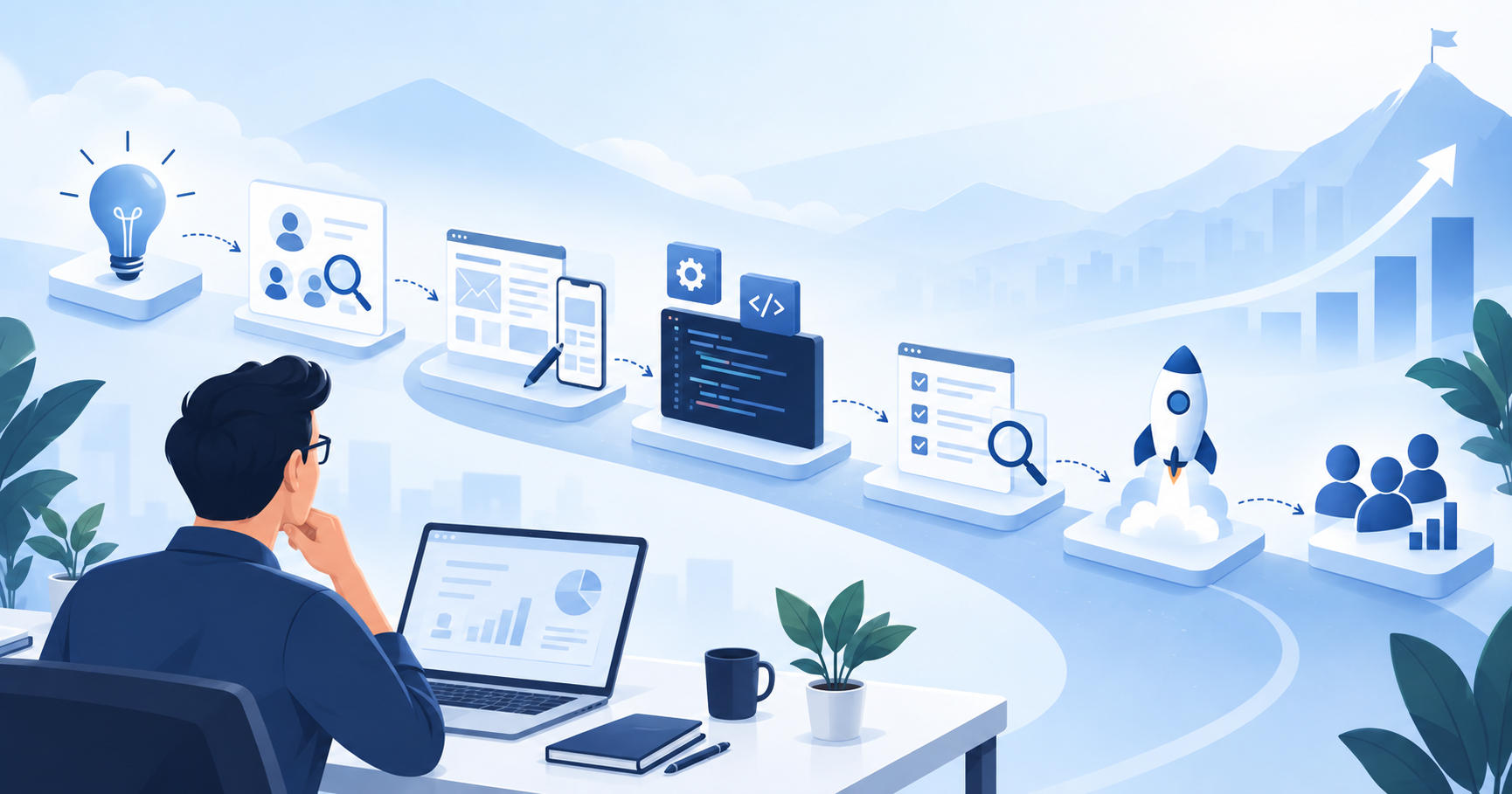
Upgrading an established web portal or enterprise SaaS platform requires balancing customer expectations for modern, responsive interfaces against the operational risk of disrupting mission-critical database systems. The table below outlines the 5-phase strategic framework for executing a risk-free frontend modernization.
| Phase | Strategic Objective | Technical Architecture | SEO & Risk Safeguard | Key Business Milestone |
|---|---|---|---|---|
| Phase 1: Architecture & API Decoupling | Isolate frontend UI from legacy backend databases | Implement API Gateway & Backend-for-Frontend (BFF) layer | Audit existing URL structures & 301 redirect map | Complete API endpoints covering 100% of target UI actions |
| Phase 2: Design System & UX Standards | Establish reusable, accessible visual component library | Build modern UI design tokens (React/Angular/Tailwind) | Verify WCAG 2.1 AA accessibility & Mobile-First layout | Approved enterprise UI component library & prototype |
| Phase 3: Phased Pilot Module Rollout | Modernize non-transactional or low-risk portals first | Deploy Single Page App (SPA) / SSR via Strangler Fig pattern | Implement canary releases & feature flag routing | 10% live user exposure with zero backend performance degradation |
| Phase 4: Core Workflow Migration & SEO Audit | Transition high-volume transactional workflows & forms | Integrate modern GraphQL/REST data fetching layers | Enforce 1:1 URL mapping, canonicals & Core Web Vitals checks | Full feature parity on new UI with zero lost search rankings |
| Phase 5: Legacy Deprecation & Telemetry | Sunset legacy server-rendered views & measure ROI | Decommission monolithic UI scripts; enable RUM monitoring | Verify complete 301 redirect indexing in Search Console | 40%+ improvement in Task Completion Rate & CSAT scores |
For enterprise organizations operating functional but visually dated web portals, the temptation to initiate a complete system rewrite is a dangerous trap. According to the Standish Group’s CHAOS Report, 31.1% of software projects are cancelled before completion, while 52.7% experience major cost overruns and delays
Formulating a practical web application redesign strategy enables decision-makers to decouple user-facing experiences from legacy infrastructure. Rather than risking millions on database migrations, engineering teams can wrap legacy databases in high-performance APIs, revamp frontend user experience (UX), accelerate page load speed, and protect existing search engine rankings.
Why Legacy Portal Redesigns Fail (And How to Avoid the Rebuild Trap)
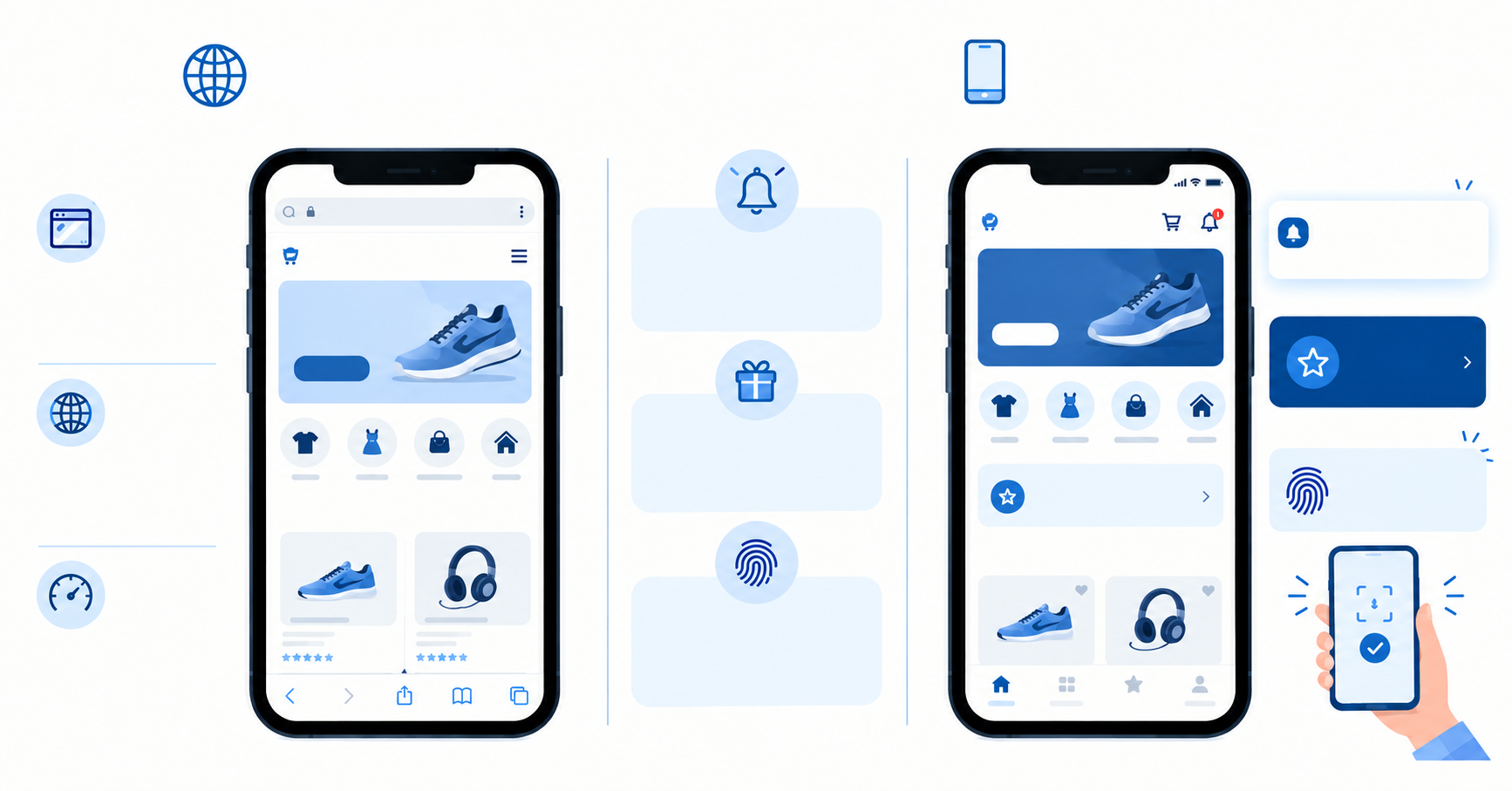
Many enterprise web applications built between 2005 and 2018 sit atop highly stable relational databases—such as Microsoft SQL Server, PostgreSQL, or Oracle—containing decades of refined business logic, stored procedures, and complex data models. However, because the user interfaces were tightly coupled to server-side rendering engines (like ASP.NET WebForms, Java JSP, or PHP monoliths), the user experience feels slow, clunky, and unresponsive on modern devices.
The fundamental flaw in traditional modernization attempts is treating frontend UI updates as a database migration project. When companies attempt a “Big Bang Rebuild”—attempting to rewrite backend database schemas, business rules, and UI components simultaneously—they encounter three severe obstacles:
- Catastrophic Business Interruption: Changing underlying database tables breaks existing third-party integrations, financial reporting tools, and automated background jobs.
- Exponentially Rising Costs: Rewriting decades of custom business logic takes 18 to 36 months, during which market conditions change and developer turnover creates knowledge gaps.
- High User Friction: Forcing users to adopt a completely reshuffled workflow overnight creates user confusion, spikes support ticket volumes, and degrades Customer Satisfaction (CSAT) metrics.
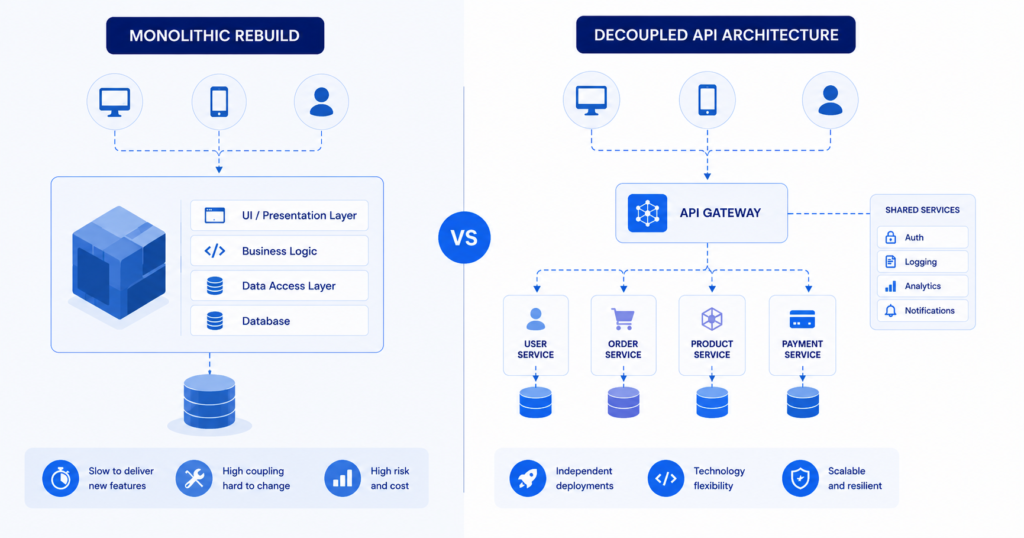
To bypass these failure modes, modern engineering teams utilize a decoupled web application redesign strategy. By separating frontend presentation from backend data storage, you preserve the underlying database intact while delivering a sleek, modern interface to your users.
Key Pillars of an Effective Web Application Redesign Strategy
A resilient portal modernization strategy rests on five core technical pillars:
- Presentation Decoupling: Isolating client-side rendering (React, Next.js, Angular) from server-side data persistence through lightweight RESTful APIs or GraphQL endpoints.
- Incremental Adoption (Strangler Fig Pattern): Replacing individual portal modules, dashboards, or checkout flows one by one rather than flipping a single global switch.
- Backend-for-Frontend (BFF) Orchestration: Creating optimized API layers specifically tailored to mobile and desktop client demands, eliminating over-fetching of legacy SQL data.
- SEO Integrity Safeguards: Enforcing strict URL redirects, canonical tagging, and Core Web Vitals optimizations to prevent search traffic drop-offs during UI transitions.
- Continuous UX Telemetry: Tracking real-time User Satisfaction (CSAT), Task Completion Rates, and System Usability Scale (SUS) scores to validate redesign ROI empirically.
Step 1: Decoupling the User Interface with APIs and BFF Architecture
The foundational milestone of any modern frontend overhaul is inserting an intermediary abstraction layer between your legacy database and the new user interface.
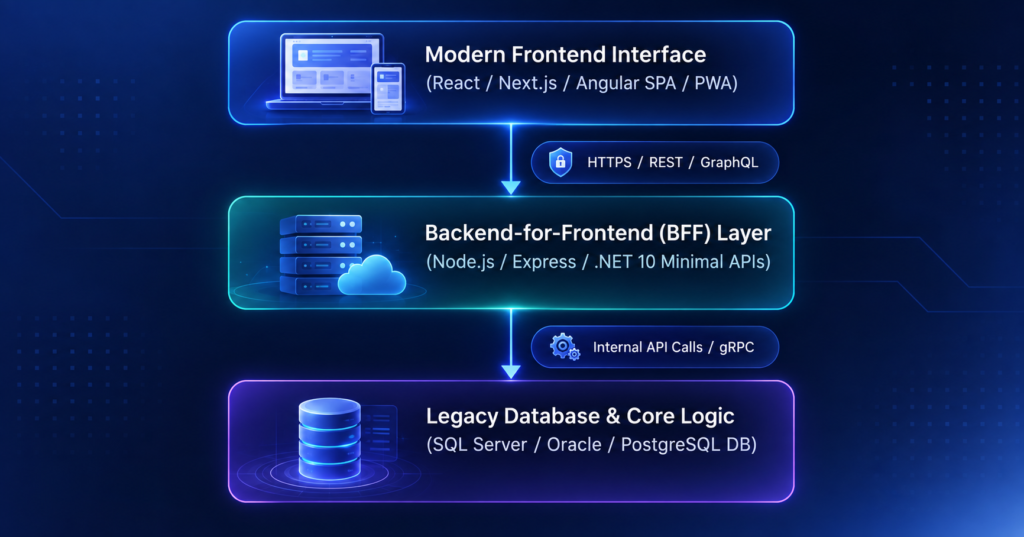
Implementing the Backend-for-Frontend (BFF) Pattern
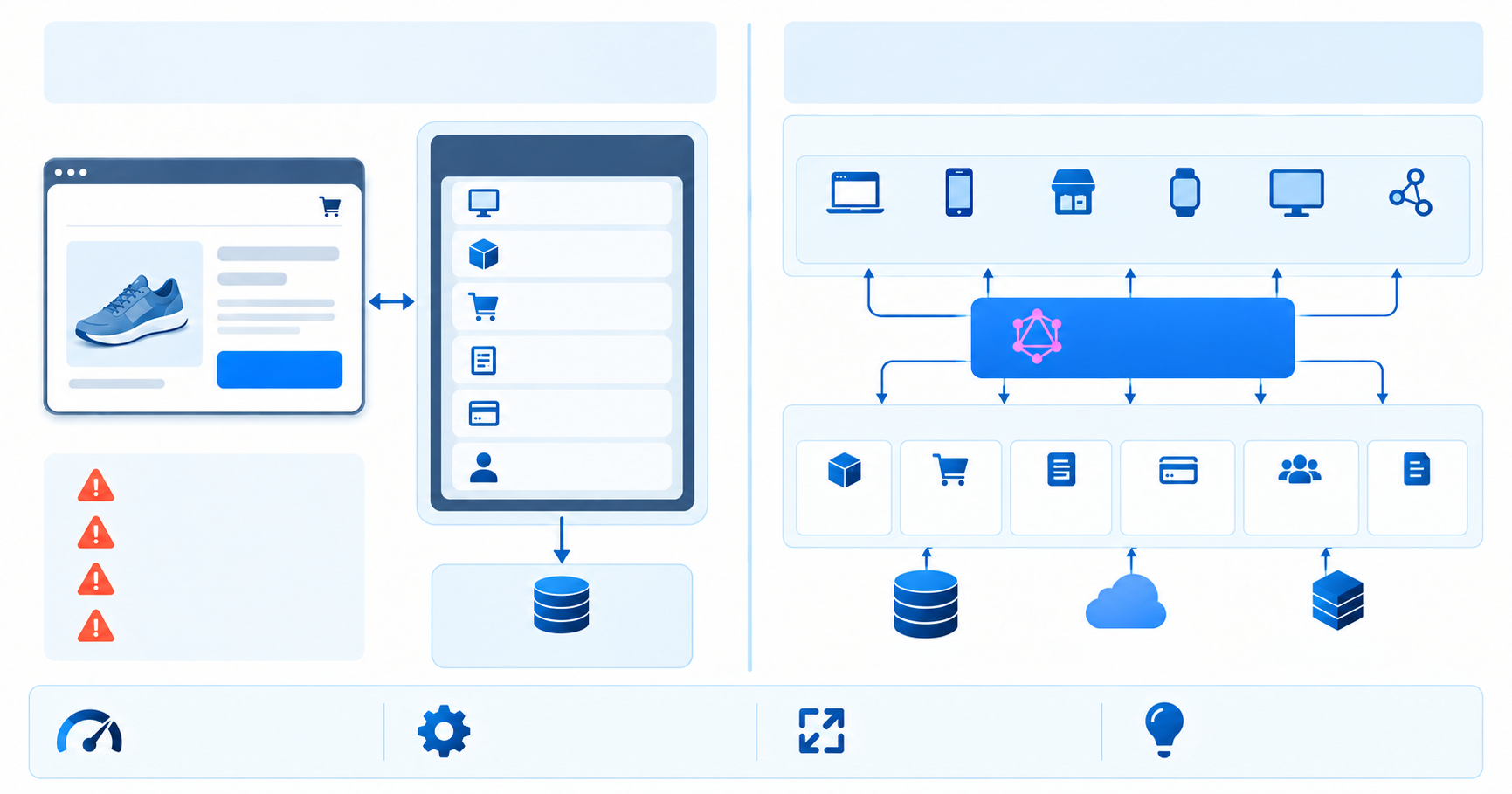
Legacy server-rendered platforms often query the database directly from template code, returning heavy HTML payloads containing unnecessary data. A Backend-for-Frontend (BFF) layer acts as a tailor-made API proxy built specifically for modern client interfaces.
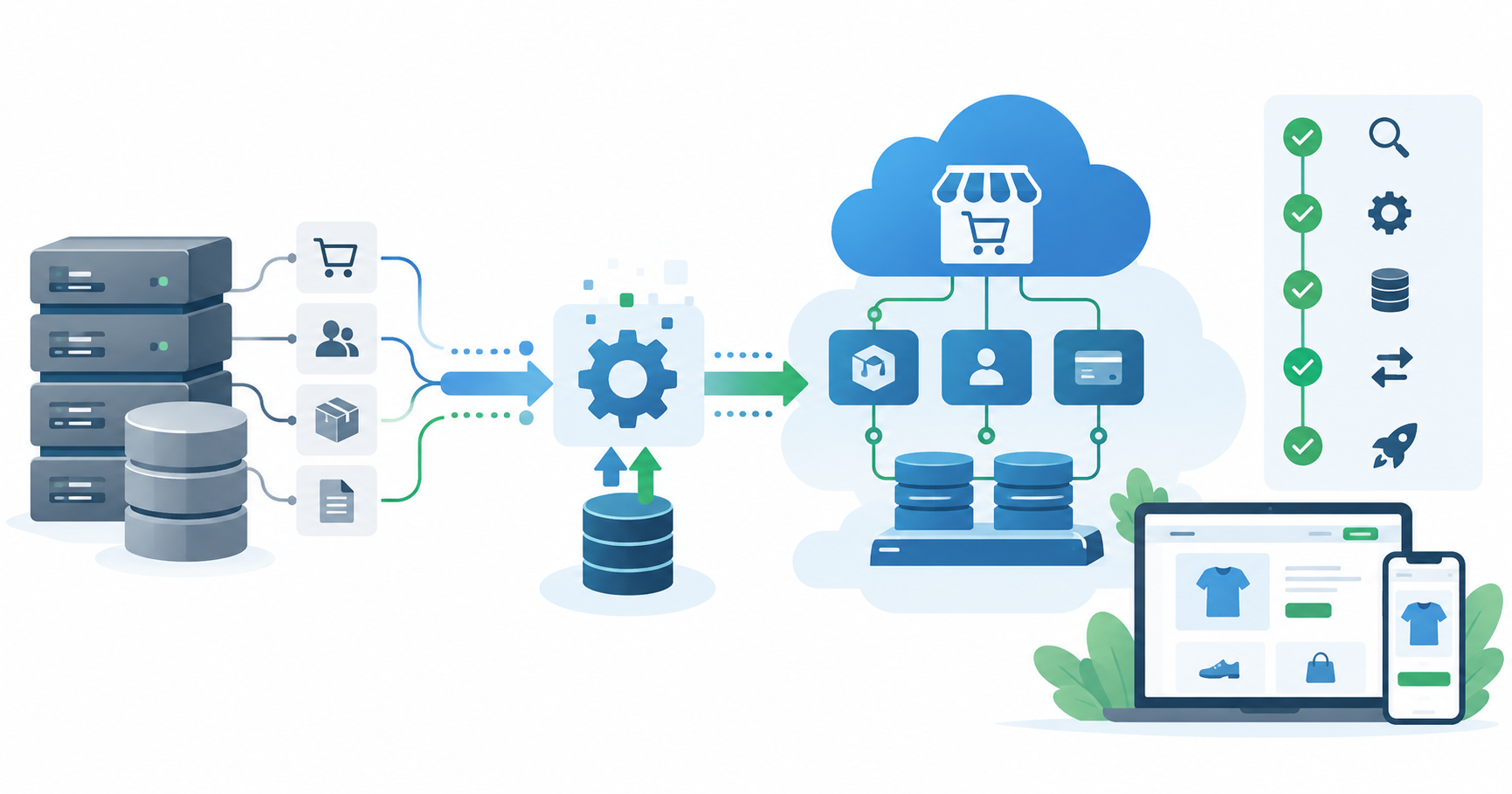
Rather than modifying legacy database tables, the BFF exposes clean JSON endpoints. When a user requests their account dashboard, the BFF executes the legacy stored procedures or SQL queries behind the scenes, formats the data into lean JSON arrays, and serves it directly to the modern client application. This isolates your engineering team from legacy database quirks while providing instantaneous response times.
Engineers can leverage modern API frameworks to build these lightweight layers without impacting database performance. For teams running legacy Microsoft environments, reviewing .NET 10 Azure cost optimization
strategies provides a blueprint for running high-throughput API proxies efficiently.
Applying the Strangler Fig Pattern
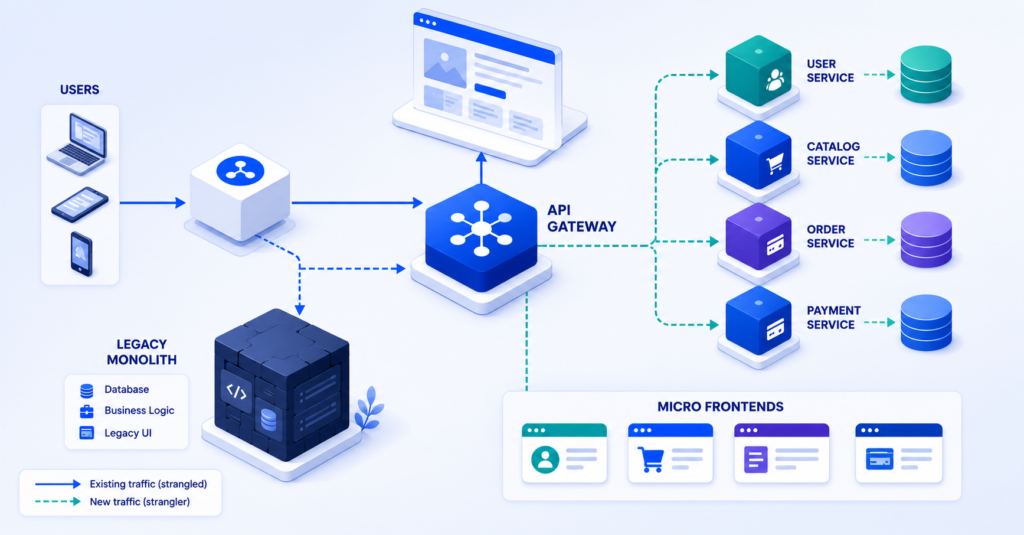
Coined by Martin Fowler, the Strangler Fig pattern involves gradually replacing legacy system components with modern services until the old application is entirely phased out.
In a web portal redesign, this means hosting your new React or Angular app on a modern cloud edge network (such as AWS CloudFront or Azure Front Door) sitting in front of your legacy server. When a user navigates to a modernized route like /dashboard, the edge router sends the traffic to the modern decoupled SPA. When they click on an un-migrated legacy route like /legacy-reports, the router seamlessly passes the request through to the legacy server.
For organizations evaluating framework shifts for their decoupled UI, exploring React vs. Angular helps determine whether a lightweight component library or a full-fledged enterprise platform fits your team’s development velocity.
If your legacy portal relies on disconnected enterprise systems, engaging an expert team for an advanced integration strategy ensures your backend data pipelines remain synchronized throughout the migration process.
Step 2: Executing a Phased UI Redesign Without Disruption
Once the API decoupling layer is established, engineering leadership must sequence the user interface overhaul into manageable phases. Attempting to launch 50 modernized screens at once introduces immense QA overhead and increases risk.
Phase 1: High-Impact, Low-Risk Modules First
Begin the redesign with read-heavy, low-complexity views that deliver immediate visual delight to users without exposing core financial or operational databases to write-mutation risks. Ideal initial targets include:
- Executive dashboards and analytics reporting screens
- User profile management and preference settings
- Marketing landing pages and public customer portals
By modernizing these views first, your team establishes the core visual component library, validates API gateway performance, and gathers immediate user feedback with minimal business risk.
Phase 2: Core Transactional Workflows and Data Grids
Once the visual framework is stabilized, move to high-density transactional modules such as multi-step checkout forms, data filtering grids, and record entry portals.
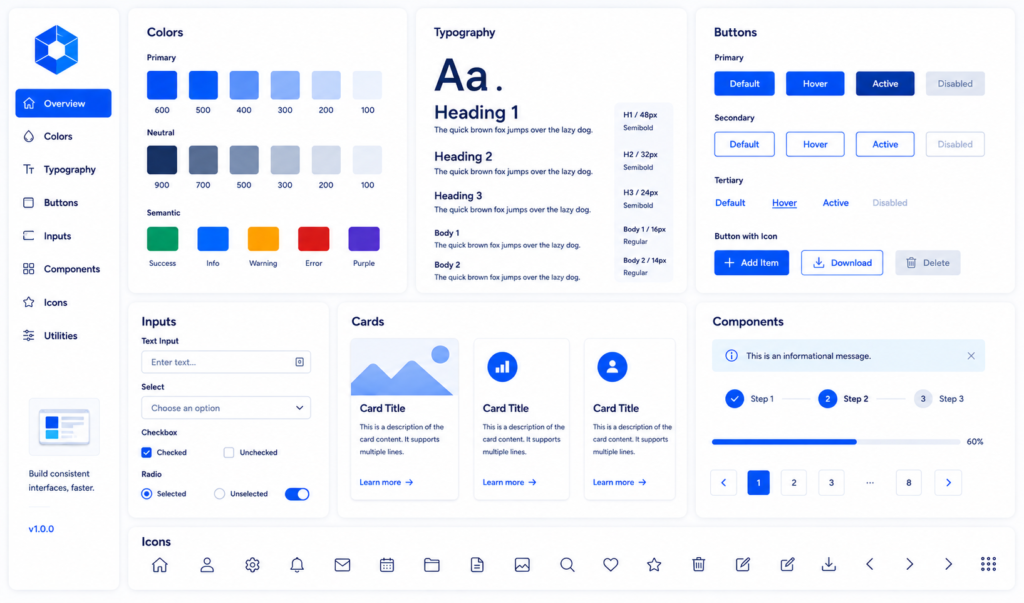
To maintain development speed, build a unified Design System using tools like Storybook and Tailwind CSS. Implementing standardized UI components—such as accessible modal dialogs, real-time search inputs, and responsive data tables—ensures visual consistency across all newly migrated screens without requiring developers to write bespoke CSS for every page.
When building high-volume commercial portals, enterprise teams frequently augment their internal capabilities by bringing in specialized talent. Whether you need to hire a UI/UX designer to construct your design system or
hire a React developer to accelerate component delivery, securing external engineering support keeps your internal staff focused on core business logic.
For example, when TechVedhas supported B2B platforms like ProcurePoint, our engineering team implemented a decoupled frontend architecture that modernized the user experience for thousands of procurement managers without disrupting legacy inventory database pipelines.
Step 3: Safeguarding SEO Rankings and URL Architecture During Migration
For public-facing web portals and SaaS platforms, an unmanaged UI redesign can accidentally destroy years of accumulated search engine authority. If URL paths, header tags, page load speeds, or canonical structures are altered haphazardly, Google indexing crawlers will demote your organic rankings.
Protecting your organic traffic throughout a web application redesign strategy requires strict adherence to SEO migration protocols.
1. Maintain 1:1 URL Structure Mapping
Whenever possible, preserve existing URL paths. If your legacy portal routes user profiles to example.com/portal/user?id=104, configure your new single-page application router to handle that exact route seamlessly.
If changing URL structures is unavoidable (e.g., migrating to clean RESTful paths like example.com/portal/users/104), you must construct a comprehensive 301 Redirect Mapping Matrix prior to launching the new interface.
| Legacy URL Path | Modern Decoupled Route | Redirect Type | HTTP Status Code |
|---|---|---|---|
/portal/default.aspx?page=account | /account/dashboard | Permanent 301 | 301 Moved Permanently |
/portal/orders/viewOrder.asp?id=55 | /orders/55 | Permanent 301 | 301 Moved Permanently |
/portal/support/kb_article.php?id=12 | /help/articles/12 | Permanent 301 | 301 Moved Permanently |
2. Optimize Core Web Vitals Benchmarks
Google’s ranking algorithms heavily penalize slow, unresponsive web interfaces. According to Google Web Dev performance standards, modern web applications must meet three strict Core Web Vitals thresholds:
- Largest Contentful Paint (LCP): Under 2.5 seconds (measures visual loading speed).
- Interaction to Next Paint (INP): Under 200 milliseconds (measures user interaction responsiveness).
- Cumulative Layout Shift (CLS): Under 0.1 (measures visual stability during page render).
Migrating from a bloated legacy server-rendered monolith to a lightweight React or Next.js application naturally boosts these metrics. Utilizing Server-Side Rendering (SSR) or Static Site Generation (SSG) for public portal pages ensures that search engine bots receive pre-rendered HTML instantly, keeping your crawl budget intact.
Organizations planning a broader transition to cloud edge networks can consult our detailed guide on how to choose the right cloud migration strategy to ensure server infrastructure aligns with frontend performance goals.
Step 4: Measuring UX and User Satisfaction Improvements
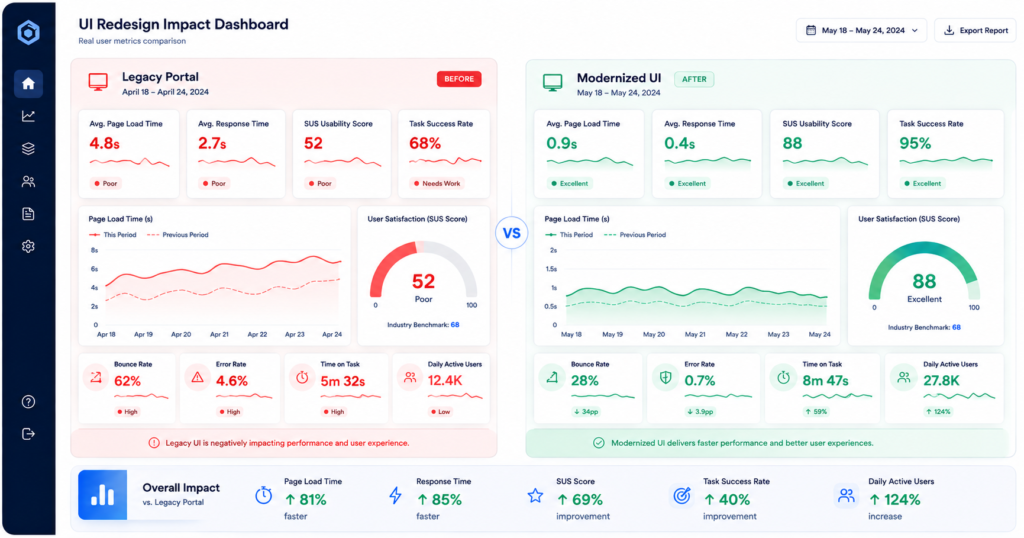
A modern UI redesign must deliver measurable business value, not just aesthetic appeal. To justify technology investments to executive stakeholders, project leaders must baseline user metrics before migration and track them continuously post-launch.
Key Telemetry Metrics for Portal Redesigns
- System Usability Scale (SUS): A standardized 10-item survey measuring perceived ease of use. Target score post-redesign: 80+ out of 100.
- Task Completion Rate (TCR): The percentage of users who successfully complete a key workflow (such as submitting an enterprise purchase order) without hitting an error.
- Average Time-on-Task: The time required for a user to accomplish a standard goal. Modernized UIs typically reduce task completion times by 30% to 50%.
- Customer Satisfaction (CSAT): Direct in-app micro-surveys calculated as: CSAT Score (%) = (Number of Positive Responses / Total Survey Responses) * 100. Target score: 85%+ positive.
Implementing Feature Flags and Canary Deployments
To measure user satisfaction safely, avoid rolling out the new UI to 100% of your user base simultaneously. Utilizing feature flagging platforms (such as LaunchDarkly or custom Redis-backed feature toggles) allows engineering teams to deploy a Canary Release.
By routing 5% of incoming traffic to the modern decoupled UI while keeping 95% on the legacy portal, product teams can compare error rates, user feedback, and database query latencies in real-time. Once validated, the roll-out percentage can be expanded incrementally (10% → 25% → 50% → 100%).
When TechVedhas assisted SaaS management platforms like MyBizzHive with portal enhancements, implementing structured UI telemetry enabled product leaders to validate user onboarding improvements before rolling out changes to their global client base.
Common Pitfalls to Avoid During Portal Modernization
Even well-funded web application modernization initiatives can stumble if engineering teams overlook foundational safeguards. Review these five common pitfalls before finalizing your project plan:
- Pitfall 1: Modifying Backend Database Schemas Prematurely
- The Risk: Renaming SQL columns or splitting legacy tables breaks un-migrated portal views.
- Correction: Keep underlying database schemas locked. Use API proxy mappers to transform data for the new UI.
- Pitfall 2: Overlooking Legacy Authentication and Single Sign-On (SSO)
- The Risk: Modern single-page apps fail to maintain sessions with legacy SAML, NTLM, or cookie auth systems.
- Correction: Deploy an API authentication gateway that translates legacy session tokens into modern JWT or OAuth2/OIDC tokens.
- Pitfall 3: Neglecting Mobile and Tablet Breakpoints
- The Risk: Porting legacy desktop tables directly to mobile web views creates broken, scrolling UI layouts.
- Correction: Enforce Mobile-First CSS design patterns and responsive component testing across mobile viewports.
- Pitfall 4: Omitting Automated End-to-End (E2E) Testing
- The Risk: Manual testing misses edge-case bugs in complex forms, delaying release schedules.
- Correction: Partner with a dedicated QA services provider to build automated Playwright or Cypress E2E test suites before launching new frontends.
- Pitfall 5: Failing to Communicate UI Changes to End Users
- The Risk: Abrupt visual shifts disrupt daily users, causing frustration even if the new UI is vastly superior.
- Correction: Include interactive product walkthrough tours, contextual inline tip banners, and an option to temporarily toggle back to the legacy view during the pilot phase.
For teams managing older monolithic architectures, reviewing our guide on legacy infrastructure modernization for AI adoption provides broader context on preparing legacy systems for next-generation digital capabilities.
Frequently Asked Questions (FAQs)
What is a web application redesign strategy?
A web application redesign strategy is an enterprise plan to upgrade the user interface (UI), user experience (UX), and frontend architecture of a web portal without disrupting underlying backend databases, business logic, or live operations. It typically involves decoupling the frontend using APIs, executing a phased module rollout, preserving SEO rankings, and measuring user satisfaction improvements.
How do you redesign a web application frontend without touching the backend database?
You redesign a frontend without modifying the backend database by inserting an API Gateway or Backend-for-Frontend (BFF) layer between the database and the presentation layer. The API layer executes existing stored procedures and database queries, converts the output into clean JSON data, and serves it to modern client-side frameworks like React, Next.js, or Angular.
What is the Strangler Fig pattern in web application redesign?
The Strangler Fig pattern is a software architecture migration strategy where legacy system components are incrementally replaced with modern services over time. In a web portal redesign, an edge router directs traffic for modernized pages to a new API-driven frontend, while routing requests for un-migrated pages back to the legacy server until the old portal is fully deprecated.
How do I protect SEO rankings during a portal UI redesign?
Protect SEO rankings during a UI redesign by maintaining a 1:1 URL path mapping matrix, configuring permanent 301 redirects for any altered routes, preserving canonical tags and structured metadata, and optimizing page loading performance to meet Google Core Web Vitals standards (LCP < 2.5s, INP < 200ms, CLS < 0.1).
How long does a phased web portal UI modernization take?
A phased web portal UI modernization typically takes between 3 to 9 months, depending on the number of screens and complexity of workflows. By utilizing a phased approach, teams can launch initial modernized modules (such as dashboards and user settings) in as little as 6 to 8 weeks while continuing to migrate deeper transactional modules.
How do you measure user satisfaction after a web application redesign?
User satisfaction is measured after a UI redesign using quantitative metrics such as System Usability Scale (SUS) survey scores, Customer Satisfaction (CSAT) ratings, Task Completion Rates (TCR), average time-on-task, and Google Core Web Vitals performance benchmarks gathered through real-user monitoring (RUM) tools.
Should we use micro-frontends or a single-page application (SPA) for a legacy redesign?
For small-to-medium web applications, a single-page application (SPA) using React or Angular powered by a Backend-for-Frontend (BFF) layer is recommended for simplicity and speed. For massive enterprise portals managed by multiple independent engineering teams, a micro-frontend architecture can be used to allow separate teams to develop, test, and deploy distinct portal modules independently.
Conclusion: Modernize Your UI with Zero Backend Risk
Overhauling an outdated web portal does not require taking on the massive financial and technical risks of a total database rebuild. By executing a decoupled web application redesign strategy, your organization can deliver a modern, lightning-fast user experience that delights users, protects organic search rankings, and unlocks business growth—all while keeping core enterprise database systems completely secure.
Whether you need end-to-end engineering leadership or specialized developer talent to accelerate your roadmap, TechVedhas provides the technical expertise required to execute a seamless UI modernization.
Ready to upgrade your enterprise portal without breaking your backend?
with our senior software architects, or use our interactive calculator to Get a Project Estimate for your redesign scope today.